
Private networking
Services in the same environment reach each other at NAME.internal, on any port, over a
private network that spans all your servers. Nothing is reachable from the internet unless you
give it a domain.
flowchart LR
  internet(["Internet"]) -- "https://web.acme-x7q2.ployz.app" --> web
  web -- "postgres.internal:5432" --> postgres
  worker -- "web.internal:8080" --> web
Connect to another service
Section titled “Connect to another service”Use the other service's private name and the port it listens on inside its container:
DATABASE_URL=postgresql://postgres:[email protected]:5432/ployz
WEB_URL=http://web.internal:8080- Use
http://, nothttps://. Traffic between your servers is already encrypted. - Any port works. You don't declare ports for private traffic.
- The bare name works too:
webis the same asweb.internal. localhostis the service's own container, never another service.
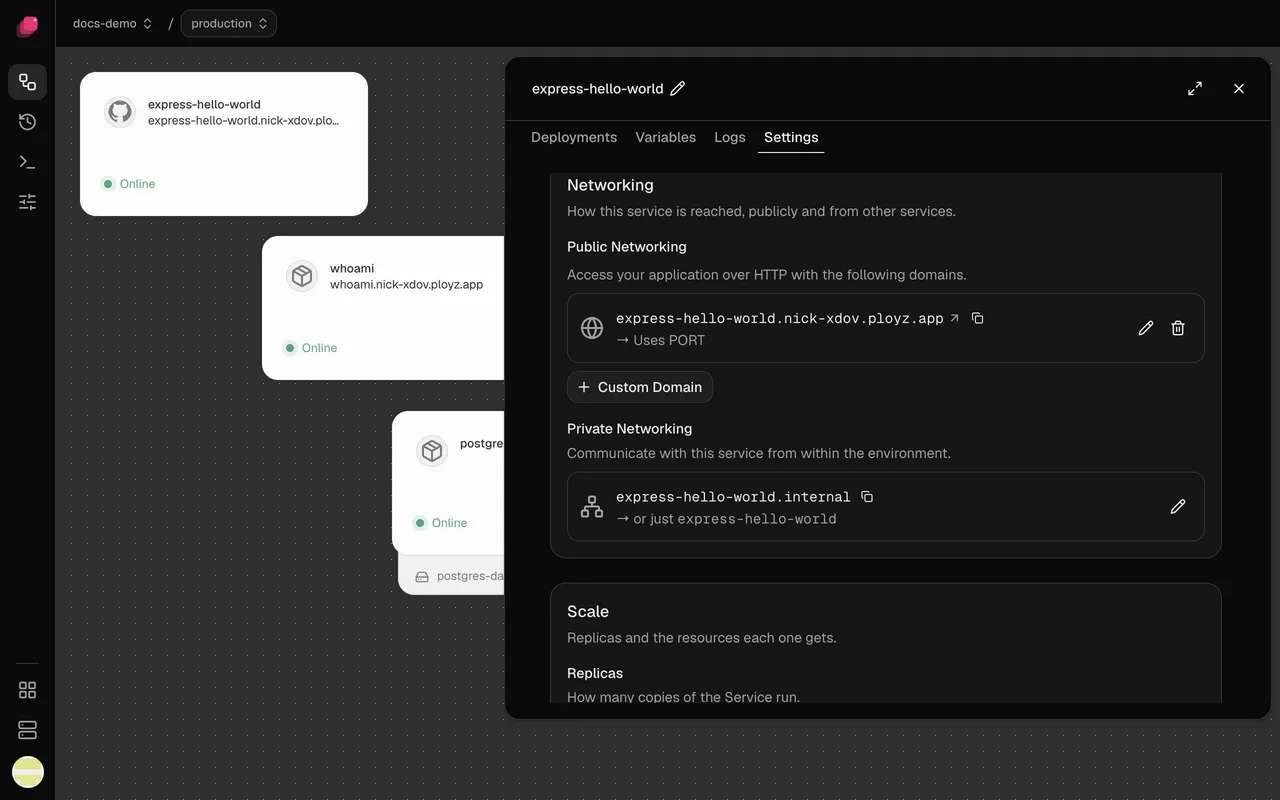
A service's private name is in its Settings → Networking, under Private Networking, with a copy button. If a connection fails, see One service can't reach another.
Reference the address in a variable
Section titled “Reference the address in a variable”Every service has a PLOYZ_PRIVATE_DOMAIN variable that holds its NAME.internal address.
Reference it instead of typing the name:
WEB_URL=http://${{ web.PLOYZ_PRIVATE_DOMAIN }}:8080A reference also works in a branch that uses its parent's
web, where a typed web.internal finds nothing. The databases Ployz
creates connect this way. See Variables.
Change a service's private name
Section titled “Change a service's private name”The private name starts as the service's name, and renaming the service keeps it.
- In Settings → Networking, under Private Networking, click the pencil.
- Enter the new name in Edit private endpoint. Leave it blank to go back to the service's name.
- Click Deploy.
Services that typed the old name stop reaching it, so update them in the same deploy.
Connect from your laptop
Section titled “Connect from your laptop”Domains carry http and https only, so to reach a service like a database from your own computer, forward a port with the CLI, as in Connect from your laptop. The CLI page shows how to point it at your project and environment.
Good to know
Section titled “Good to know”- Names stay inside one environment. In staging,
postgres.internalis staging'spostgres. - A name finds only healthy replicas. While no replica of a service is healthy, its name doesn't resolve. Check that service's Logs.
- Servers must reach each other on UDP port 51820. Without it, services on different servers can't reach each other.