
My app isn't reachable
A visit to your app is a short trip: the browser looks up your domain, reaches one of your servers over https, and that server hands the request to your app on its port. When a page won't load, one leg of the trip is broken.
flowchart LR
  browser(["Browser"]) -- "DNS" --> server["One of your servers"]
  server -- "PORT" --> app["Your app"]
Start with your domain's status in the service's Settings → Networking: it names most of the problems below. Your app's own errors are in the service's Logs.
My service has no address
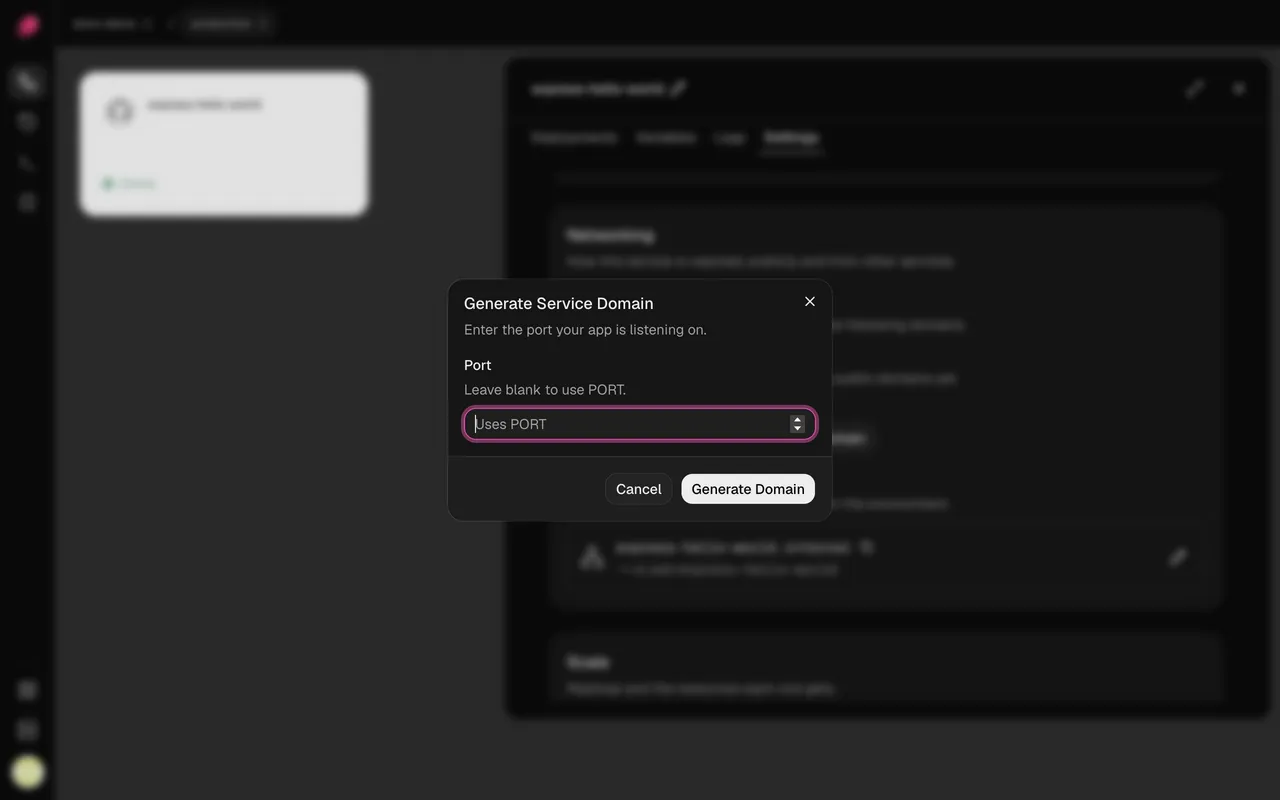
Section titled “My service has no address”Services you add in the dashboard don't get a public address until you ask for one. In
Settings → Networking, click Generate Domain, leave Port blank to use PORT, then
deploy.
My app shows 502 Bad Gateway
Section titled “My app shows 502 Bad Gateway”Your server got the request, but your app didn't answer.
-
Listen on
0.0.0.0andPORT. An app listening onlocalhostor127.0.0.1turns away requests from outside its container:App Listen on all addresses and PORTNode.js, Express app.listen(process.env.PORT, "0.0.0.0")Next.js next startalready does. Withoutput: "standalone", add the variableHOSTNAME=0.0.0.0.Vite preview vite preview --host 0.0.0.0 --port $PORTgunicorn gunicorn --bind 0.0.0.0:$PORT app:appuvicorn uvicorn main:app --host 0.0.0.0 --port $PORTRails, Puma bundle exec puma -b tcp://0.0.0.0:$PORTLaravel php artisan serve --host=0.0.0.0 --port=$PORTChange it in your code or in Settings → Deploy → Start command. If Vite preview says "Blocked request. This host is not allowed.", add your domain to
preview.allowedHostsinvite.config. -
Check the port matches. See the next section.
-
Check your app is running in its Logs. A replica that crashes or fails its health check gets no traffic; see Troubleshooting deployments.
My app listens on a different port
Section titled “My app listens on a different port”The domain's row says where traffic goes. → Uses PORT means the PORT variable, which is
8080 unless you set it. Either:
- add a
PORTvariable set to your app's port, then deploy (the health check uses it too), or - click the pencil on the domain and set Target port to the port your app listens on.
My domain shows Not Found
Section titled “My domain shows Not Found”- On
http://? Ployz serves https only and doesn't redirect yet. Usehttps://. Behind Cloudflare, see below. - On
https://? The domain isn't live yet. If its row says Live after your next deploy, click Deploy.
My custom domain is waiting for DNS
Section titled “My custom domain is waiting for DNS”You'll see Waiting for DNS, DNS doesn't point here yet or DNS points to another server. Your servers can't get a certificate until your domain leads to them.
- Click Show DNS records on the domain's row and create exactly those records at your DNS provider.
- Delete any other A and AAAA records for the same name, like your old host's. A leftover AAAA record alone can block the certificate.
- Give DNS time to spread. Your servers keep checking on their own.
The browser can't make a secure connection
Section titled “The browser can't make a secure connection”Your servers don't have a certificate for the domain yet. The domain shows Issuing certificate, a DNS status, or Certificate failed; retrying at …. Fix any DNS status first (see above). Otherwise give it a little time: your servers keep trying on their own.
My domain is behind Cloudflare
Section titled “My domain is behind Cloudflare”- Set SSL/TLS to Full (strict). Flexible reaches your servers over plain http and always gets Not Found.
- If the domain shows Your proxy redirects to HTTPS: exempt /.well-known/acme-challenge/ from
it*, Cloudflare's redirect is blocking your certificate. Set the DNS record to DNS only,
or turn off Always Use HTTPS and add a redirect rule that sends http to https for every
path except
/.well-known/acme-challenge/*.
Port 80 is closed
Section titled “Port 80 is closed”You'll see Port 80 is closed on 203.0.113.10. Your servers use port 80 to get certificates, so Ployz leaves that server out of your organization's domain until it's open.
Open TCP port 80 and TCP and UDP port 443 to the internet on every server that takes web traffic, in your hosting provider's firewall (like a Hetzner Cloud Firewall or an AWS security group) as well as the server's own. Then click Check again under Domain in Organization → General.
None of my servers takes web traffic
Section titled “None of my servers takes web traffic”You'll see No Server receives traffic or No ingress Server has a public IP. Either every server has web traffic turned off, or Ployz doesn't know their public addresses. Add a server, or fix it from the CLI (these settings aren't in the dashboard yet):
# Take web traffic on web-1 again
ployz server set web-1 --accepts-ingress=true

# Tell Ployz web-1's public address
ployz server set web-1 --public-ip 203.0.113.10
One service can't reach another
Section titled “One service can't reach another”You'll see errors like ECONNREFUSED 127.0.0.1:5432 or getaddrinfo ENOTFOUND api.internal.
- Use the other service's private name, like
postgres.internal, neverlocalhost. It's in that service's Settings → Networking, under Private Networking. - Use the port it listens on inside its container, like
5432. - For a web service, use
http://, nothttps://: traffic between services stays on your private network. - A name that doesn't resolve can mean the other service isn't healthy (check its Logs) or is in another environment.
- Services on different servers need UDP port 51820 open between those servers.
See Private networking.
Good to know
Section titled “Good to know”- A redirect fails the health check. Point Healthcheck path at a page your app serves directly. See Deployments.
- Private names stay inside one environment. In a branch, reference
${{ api.PLOYZ_PRIVATE_DOMAIN }}rather than typing the name.