Backups
Backups on another server.
Keep a backup of any database on a second server. Restore it, or move the database there.
Live
Elsewhere
A backup on another server
Add a copy of a database's volume on another of your servers. If the first server fails, the data is still yours.
Restore when you need it
Restore stages a new volume from the backup and tells you which changes it doesn't have. The original stays.
Move a database
Make primary moves the database and its data to the other server, with seconds of downtime.
Every database gets a volume.
A one-click database comes with a volume for its data, sized as you choose. Its backups, restores and moves live on the volume's panel.
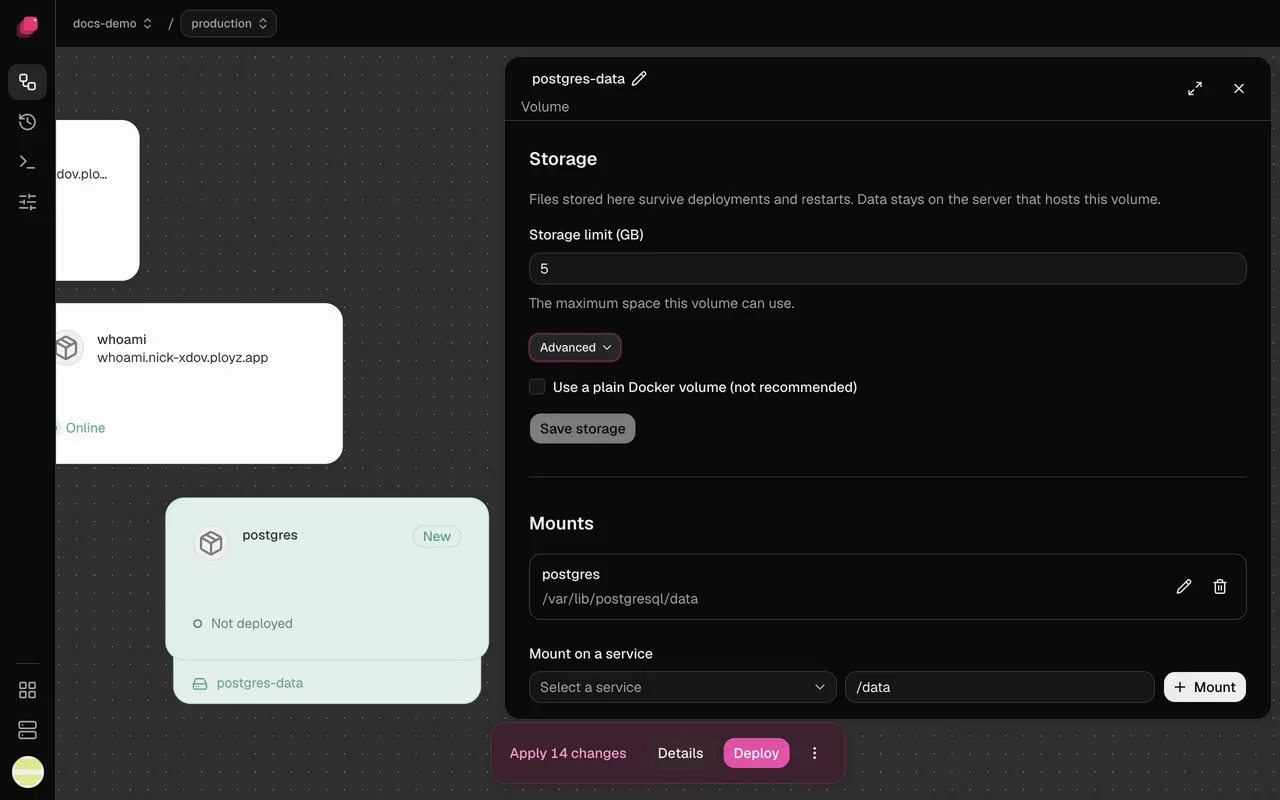
Every change waits for Deploy.
A restore or a move is staged like any other change. You see it in the bottom bar and click Deploy when you're ready. The same actions run from the CLI.
$ ployz volume move data --to web-2
Moves the volume and its service to web-2. with seconds of downtime.
$ ployz volume restore data --from web-2
Makes the copy on web-2 the volume, and says which writes it doesn't have. Deploy to start the service on it.
Compared with doing it yourself.
| What you need | Backup scripts, managed databases | Ployz on your server |
|---|---|---|
| Setup | Write and schedule a dump script | Add a copy on another server |
| Restore | Find the dump, load it by hand | Restore, then Deploy |
| Move to another server | Dump, copy, restore, repoint | Make primary, then Deploy |
| Where the data lives | Wherever the script sends it | Your own servers |
| Price | A script to maintain, or a managed database bill | Included with Ployz Cloud |
Good to know.
- Backups, restores and moves run on Ployz Cloud, which is free on your own servers.
- A backup works for any volume, not only databases.
- The old server keeps its copy after a move, so you can move back.
- Backups come with monitoring, searchable logs and uptime checks. Everything is included.
Questions
Where are my backups kept?
On another of your own servers, next to the one the database runs on. You pick the server.
How do I restore a backup?
Click Restore on the copy. Ployz stages a new volume from it, says which changes it doesn't have, and leaves the original alone. Deploy when you're ready.
Can I move a database to another server?
Yes. Make primary moves the database and its data to the server that holds the copy. It's down for seconds.
What if a server stops answering?
Its database stays down until the server comes back, or until you restore the backup on another server and deploy.
Does this work for things other than Postgres?
Yes. Any service with a volume, such as MySQL, Redis or your own app's files, gets the same backups, restores and moves.
What does it cost?
Free on your own servers. Backups need Ployz Cloud, which is free too, along with monitoring, logs and uptime checks. The copies use disk on servers you rent.
Your servers. The whole platform. Free on your own servers.
Deploy your appFacts checked 2026-10-13.