Builds
Builds that stay off your server.
No Dockerfile needed. Builds run on GitHub Actions or a build server, and the image goes straight to your servers.
GitHub runner
ubuntu-latest · in your repo
pnpm run build (next build)
Pushing image to web-1
Done. Runner released.
web-1
your server · 2 vCPU · 4 GB
web v41 serving
Image received, no registry
web v42 rolling out
No Dockerfile needed
Railpack detects Node, Python, Ruby, PHP, Go, Rust, Java, Elixir and more.
No container registry
The image goes from the builder straight to your servers, never stored in Ployz Cloud.
A failed build changes nothing
The deploy stops before any service is touched, and the current version keeps running.
One workflow file, no secrets.
Click Add workflow and commit it. Builds then run on GitHub's runners, and fall back to your servers when GitHub can't take them.
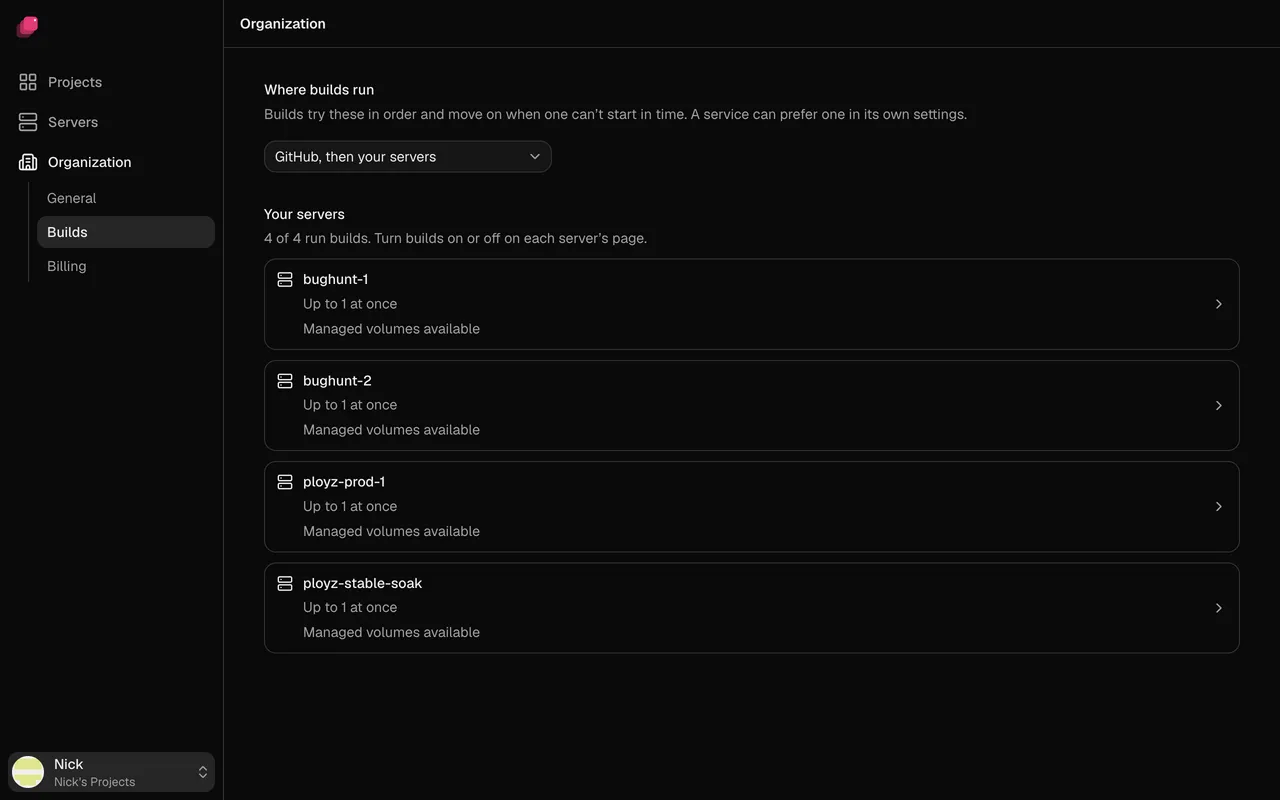
Your Dockerfile still works.
Set Build method to Dockerfile, or keep Railpack and override the build command. An unchanged build is reused, not rebuilt.
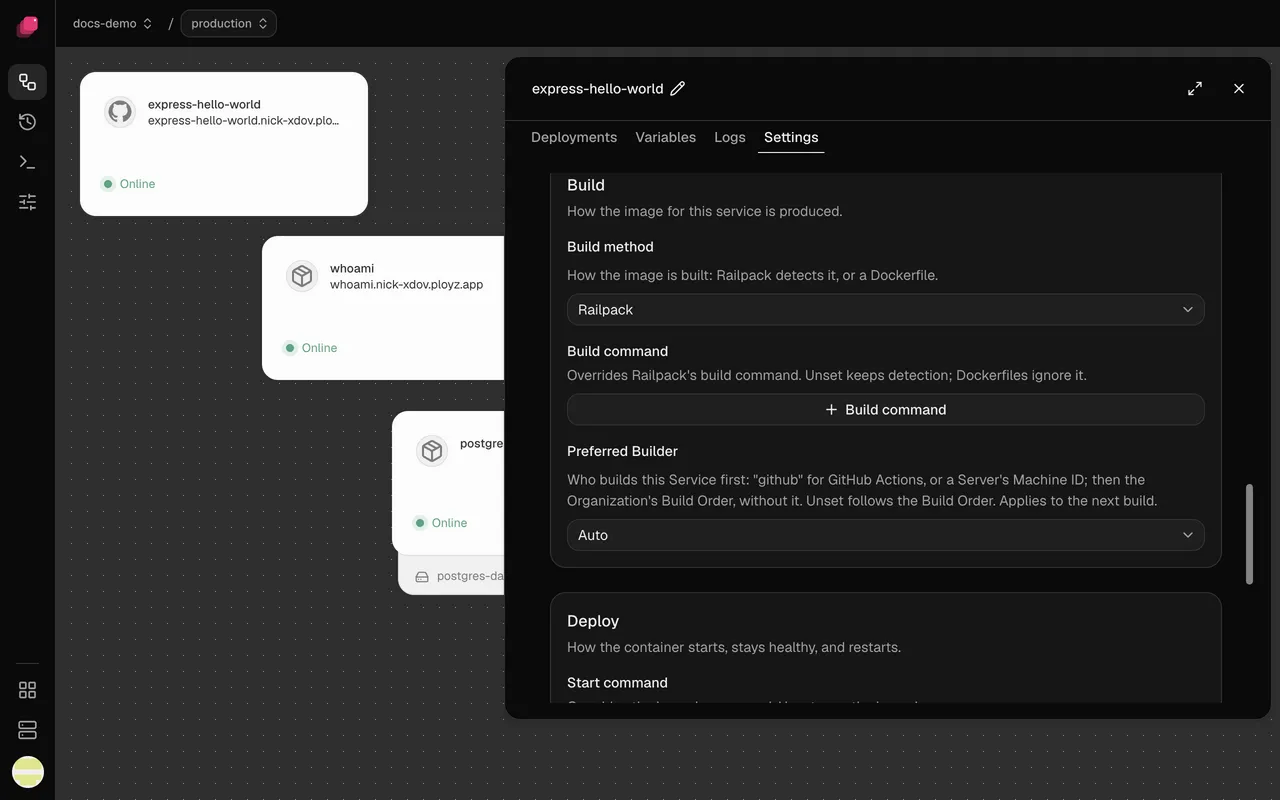
Compared with the platforms.
| What you need | Vercel, Render, Railway, Heroku | Ployz on your server |
|---|---|---|
| Where the build runs | The platform's build machines | GitHub Actions, a build server, or capped |
| What builds cost | Render Hobby: 500 minutes, then pay | Actions minutes, or nothing on your servers |
| Time limit | Vercel 45 min, Heroku 25, Render 120 | 2 hours on GitHub, 30 min on servers |
| Dockerfile | Railway uses one in the root automatically | Used only once you pick it |
| Registry | Handled by the platform | None needed |
Good to know.
- GitHub only for builds and push-to-deploy. No GitLab or Bitbucket yet.
- A build on GitHub Actions receives the service's variables, secrets included.
- Multi-architecture services and
ployz upuploads always build on your servers. - Build caps live in
/root/.ployz/build.yaml, not the dashboard. - Submodules, Git LFS and private
FROMimages don't build. No rollbacks yet.
Questions
How much RAM does a Next.js build need?
It depends on the app. Hosted platforms give builds 8 GB or more. Exit code 137 means it ran out: build on GitHub Actions or a bigger server, or run fewer builds at once.
Do I need a Dockerfile?
No. Railpack builds Node, Python, Ruby, PHP, Go, Rust, Java, Elixir and more without one. Have one that works? Set Build method to Dockerfile.
Do I need a container registry?
No. The image goes straight to your servers, from GitHub Actions or your own builder. You only need one to deploy a prebuilt image from Docker Hub or GHCR.
Do GitHub builds need secrets in my repository?
No. The runner proves who it is with GitHub's short-lived identity token, then Ployz hands it the build's variables.
What does building on GitHub Actions cost?
Your repository's Actions minutes: 2,000 a month free for private repositories on GitHub Free, none used by public ones. Ployz adds nothing.
What if GitHub is down or I'm out of minutes?
With the default order, a build GitHub doesn't start in time moves to your servers, and the log says why. With GitHub only, it waits for a runner.
Your servers. The whole platform. Free on your own servers.
Deploy your appFacts checked 2026-10-02.