Logs
Searchable logs, included.
Every service, live and searchable, on one page. The logs stay on your own servers.
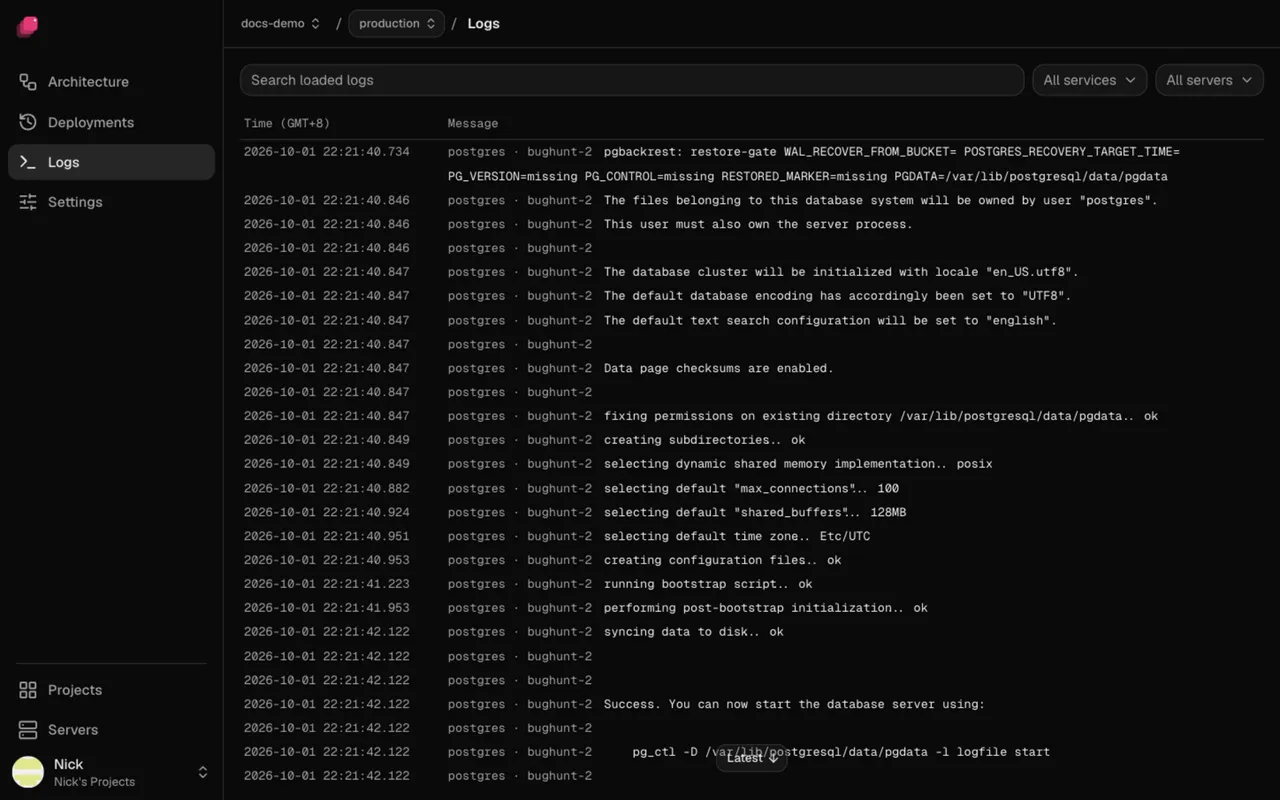
Every service, one page
Logs from every service on every server, live. Filter by service, server or level, and search what's loaded.
Levels without setup
Error, warning, info and debug are read from JSON, logfmt or plain prefixes. Hide the noise with one click.
Kept on your servers
Logs stay on the servers that wrote them. Nothing is shipped to a log service.
Every deploy keeps its logs.
Each deployment has its build and deploy output, the pre-deploy command included. It's still there after the next deploy, and a crashed replica keeps its last lines and exit code.
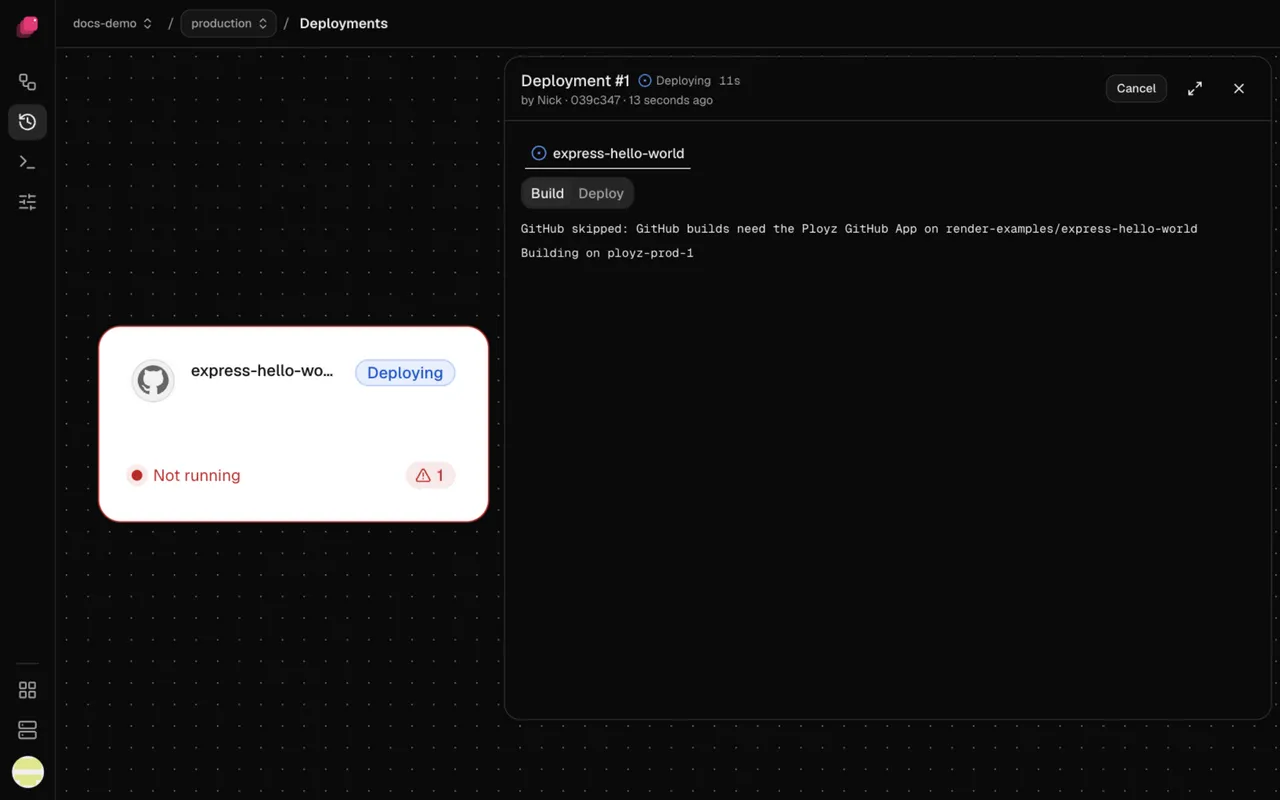
Read them from the terminal.
The same logs come back in the CLI, so a coding agent can read what went wrong after a deploy.
$ ployz logs web
web's recent lines, from every server it runs on.
$ ployz logs app/api
A service in another namespace, even one you've since removed.
Compared with a log service.
| What you need | Papertrail, Logtail, Better Stack | Ployz on your server |
|---|---|---|
| Setup | Install a shipper and point it at them | On from the first deploy |
| Build and deploy logs | Only what you send | Kept for every deployment |
| Levels | Parsing rules you write | Read from JSON, logfmt or prefixes |
| Where the logs live | Their cloud | Your own servers |
| Price | Billed by volume | Included |
Good to know.
- Scroll up for older lines. Latest takes you back to the end.
- Each service also has its own Logs tab, next to its monitoring charts.
- When an uptime check fails, the service's logs are one click away.
- Logs, monitoring, uptime checks and backups are all included.
Questions
Where do I see my logs?
On the Logs page, for every service at once, or on a service's Logs tab. Each deployment also has its own build and deploy logs.
Can I search them?
Yes. Search the loaded lines, filter by service and server, and turn levels on or off. Scroll up to load older lines.
Do I need Papertrail or Logtail?
No. Ployz keeps every service's logs on your servers and shows them in the dashboard and the CLI.
What if a container crashes?
Its last output and exit code stay with the deployment, so you can read why it stopped.
Are my logs sent anywhere?
No. They stay on your own servers. Ployz Cloud shows them to you, and doesn't copy them anywhere else.
What does it cost?
Free on your own servers. Logs are included, along with monitoring, uptime checks and backups. They use disk on servers you rent.
Your servers. The whole platform. Free on your own servers.
Deploy your appFacts checked 2026-10-13.