Coding agents
Let your agent deploy.
Claude Code runs the ployz CLI. Its changes show up on your canvas, and nothing ships until a deploy.
- you › Add Postgres and connect web to it.
- $ ployz service add postgres --image postgres:18
- Staged new Service postgres in shop/production (revision 13).
- $ ployz volume add pgdata --mount postgres:/var/lib/postgresql
- $ openssl rand -hex 24 | ployz set postgres.env.POSTGRES_PASSWORD --secret
- $ ployz set 'web.env.DATABASE_URL=postgresql://postgres:${{ postgres.POSTGRES_PASSWORD }}@postgres.internal:5432/postgres'
- $ ployz diff
- postgres (create) · pgdata (create) · web (update) next: ployz deploy --expect-version 16:5:c81e
- agent › Staged, not deployed. It's on your canvas. Deploy?
- you › Yes.
- $ ployz deploy --expect-version 16:5:c81e --message "Add Postgres"
- Deployment #18 of shop/production: applied postgres: deployed web: deployed
ployz.dev · shop / production
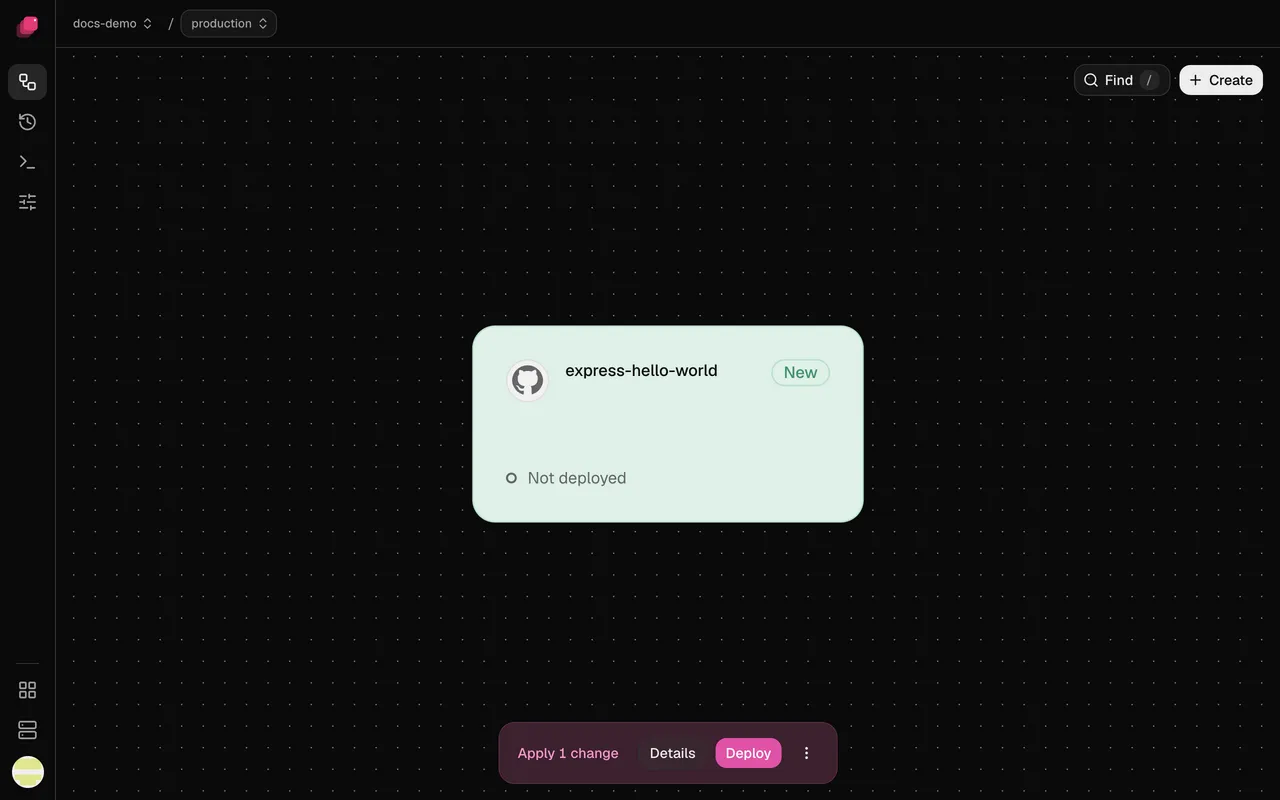
“Add Postgres and connect web to it.” The new service lands on your canvas, staged, with Deploy waiting.
JSON on every command
Add --json and stdout gets one object. Errors name the exact command to run next.
Secrets stay sealed
Values come in on stdin with --secret, so they never appear in the agent's transcript.
Your permission rules apply
Agents run ployz in their own shell, so your ask list covers it like git push.
Staged first. Deployed when you say.
The agent edits the same draft you edit in the dashboard. Have it run ployz deploy --expect-version, and it ships only the diff you read.
One command teaches it Ployz.
The skill is built from the CLI version you have installed. Run ployz setup agent again after an upgrade.
$ curl -fsSL https://ployz.sh | sh
Installs the ployz CLI on Linux or macOS.
$ ployz setup agent
Writes the Ployz skill for ~/.agents and Claude Code.
$ ployz login
Opens your browser. Click Approve and the terminal is signed in.
Compared with the platforms.
| What you need | Vercel, Railway, Render, Heroku, Fly.io | Ployz on your server |
|---|---|---|
| How agents connect | An MCP server | The ployz CLI through their shell |
| Agent setup | MCP config, skills or plugins | ployz setup agent writes a skill |
| Review before it goes live | Varies. Vercel deploys previews unless --prod | Staged changes, shipped with --expect-version |
| Credentials | Often your whole account | One organization, 90 days, revocable at once |
| Where it runs | Their compute, billed by usage or plan | Servers you rent. Free |
Good to know.
- No MCP server: agents need a shell.
- Tokens act as you in the organization. No read-only or per-project scopes yet.
- Confirmations are speed bumps, not locks. Put
ployz deployon your agent's ask list. - No rollbacks and no database backups yet.
- One-click databases are dashboard-only. From the CLI it's an image, a volume and variables.
Questions
Can Claude Code deploy my app to my own server?
Yes. Install the ployz CLI, run ployz setup agent and ployz login, then ask. Codex, Cursor and other agents with a shell work the same way.
Does Ployz have an MCP server?
No. Agents get a CLI with --json output and a skill from ployz setup agent. Your agent's permission rules apply to it like any other command.
Will my agent deploy without asking me?
Only if you let it. Its changes are staged. ployz deploy runs at once, so put it on your ask list and deploy with --expect-version.
How do I give an agent access in CI?
Run ployz token new with a name, store it as PLOYZ_TOKEN, and pass --project. Tokens expire after 90 days by default, and ployz token rm revokes one.
Does it work with Coolify or Dokploy?
Those are separate tools with their own MCP servers. Ployz is its own platform, and the agent drives it with the ployz CLI.
What does it cost?
Free on your own servers, with unlimited servers, projects and previews. Custom domains are $9 a month. You pay your provider for the servers.
Your servers. The whole platform. Free on your own servers.
Deploy your appFacts checked 2026-10-02.