Git push deploys
Push. CI passes. It's live.
Every push to your branch deploys to servers you rent, once your GitHub checks pass.
1Push
a41c9e2 to main · “Fix checkout total”
2Watch paths
apps/web/** matched 3 files · worker skipped
3Wait for CI
GitHub checks passed: test, lint
4Build
Building on web-1 · no registry
5Pre-deploy command
pnpm db:migrate · exited 0
6Health check
new replica: GET /up → 200
7Replace
old replica stops · next replica, same way
Live
web.acme-x7q2.ployz.app
One push to a monorepo: web deploys, worker stays as it is. If any step fails, the old version keeps serving.
Only what changed
Give each service a root directory and watch paths, and a push deploys only the services it touched.
Old version keeps serving
A new replica has to answer your health check before the old one stops.
No Dockerfile, no registry
Common languages build without a Dockerfile, and the image goes straight to your servers.
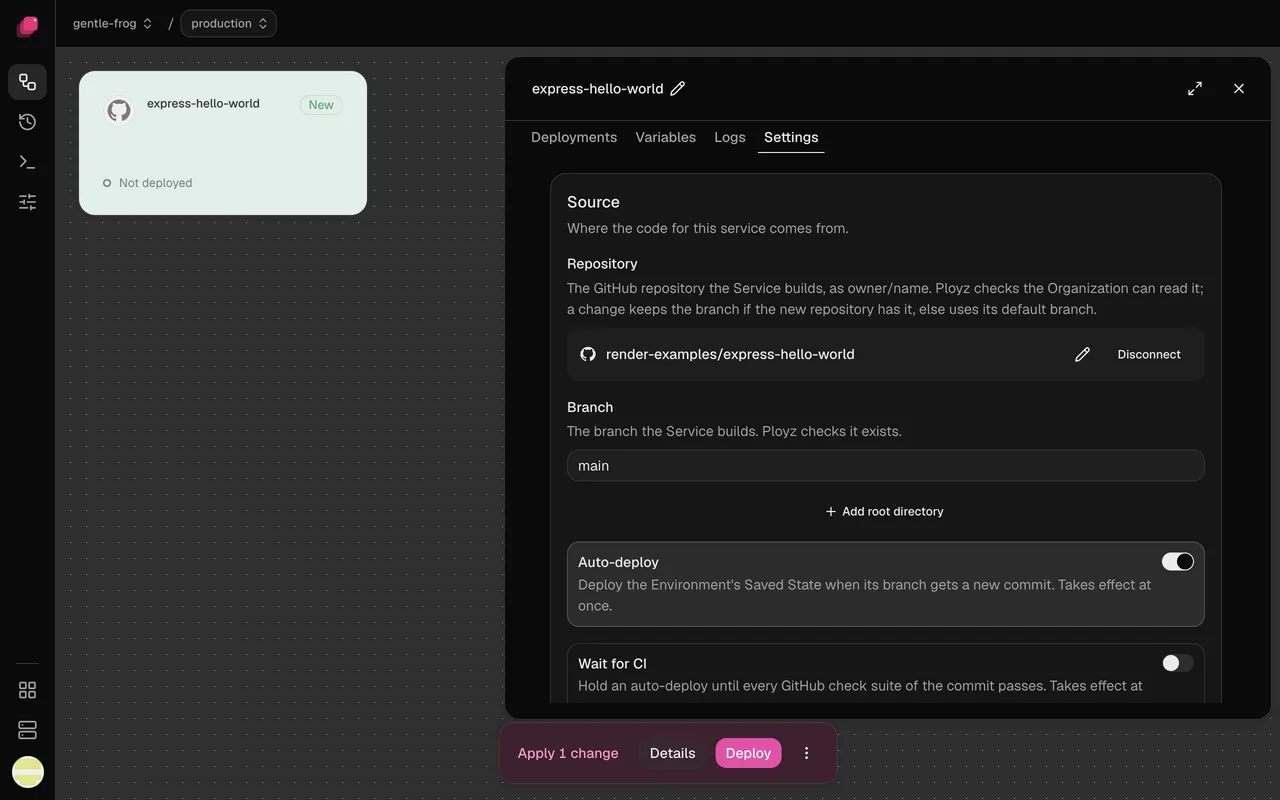
Hold the deploy for CI.
Turn on Wait for CI and a commit deploys once its GitHub checks pass. A newer push replaces one still waiting.
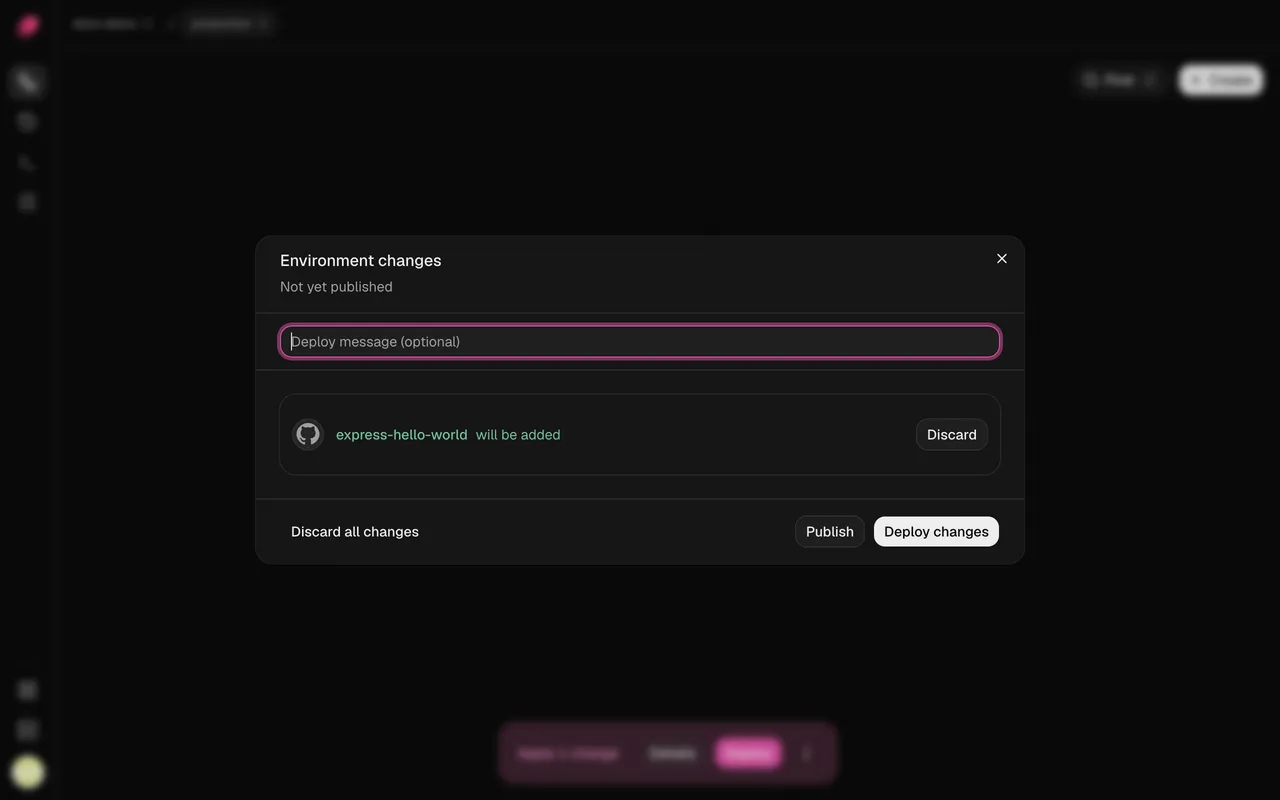
Edits wait for Deploy.
Dashboard changes turn pink and stay staged until you deploy. Publish them and the next push takes them along.
Compared with the platforms.
| What you need | Heroku, Render, Railway | Ployz on your server |
|---|---|---|
| Deploy on push | Yes, on their servers | Yes, on your servers |
| Wait for CI | Railway reads GitHub Actions only | Checks from any GitHub app |
| Monorepo | Render, Railway: root directory plus paths | Root directory plus up to 50 watch paths |
| Dashboard edits | Heroku restarts on a config change | Staged until you press Deploy |
| Overlapping deploys | Render: queue or cancel, per workspace | One per environment, the newest waits |
Good to know.
- No rollbacks yet: revert the commit and push.
- Migrations stay applied if the deploy then fails.
- A service with a volume, like Postgres, stops briefly while it swaps.
- GitHub only, and Wait for CI reads checks, not commit statuses.
- Builds on your server share its CPU and need 2 GB of RAM.
Questions
What is git push deploy?
Pushing a commit to a Git branch and having that push build and release your app, with no other step. Heroku made it popular. Most platforms now do it through a GitHub integration.
How do I deploy on push to my own server?
Install Ployz on the server, connect the GitHub repository to a service and deploy once. From then on every push to the service's branch builds on your server and deploys.
Can it wait for GitHub Actions to pass?
Yes. Turn on Wait for CI under Settings → Source. The deploy waits for the commit's GitHub checks, from Actions or any other app. A failed check stops that commit.
What happens if a deploy fails?
A failed build changes nothing. A replica that fails its health check is stopped and the old one keeps serving. There's no automatic rollback, and the deployment page says why it failed.
How is this different from Dokku or a git hook?
Dokku and a post-receive hook deploy when you push to a remote on the server. Ployz hears pushes to GitHub, so it can wait for checks and skip services by watch path. The git push deploy article compares five setups.
What does it cost?
Free on your own servers, with unlimited servers, projects and preview environments. Custom domains are $9 a month. You pay your provider for the servers.
Your servers. The whole platform. Free on your own servers.
Deploy your appFacts checked 2026-10-02.