
How builds work
Ployz turns your code into a container image and runs it on your servers. Every service that deploys from GitHub is built this way, with Railpack, so you don't need a Dockerfile. Services that run a Docker image skip the build.
Each deploy builds your commit on one of your servers or on GitHub Actions, then sends the image straight to the servers that run the service. You don't need a container registry. To choose where builds run, see Where builds run.
When Ployz builds
Section titled “When Ployz builds”Every deploy that includes a GitHub service builds it, unless nothing that goes into the build changed: then Ployz reuses the image it already has. A push that auto-deploys builds the pushed commit, and Retry builds the same commit again.
Deploy in the dashboard deploys the whole environment, so every GitHub service in it moves to the newest commit on its Git branch, even if you changed only one service.
If a build fails, the deploy stops before anything changes, and your current version keeps running. Images that did build are reused when you deploy again.
Read the build log
Section titled “Read the build log”- Open the deployment. Deploy opens it for you; later, find it in the service's Deployments tab, or click Logs in the bottom bar while it runs.
- Pick the service's tab, then Build.
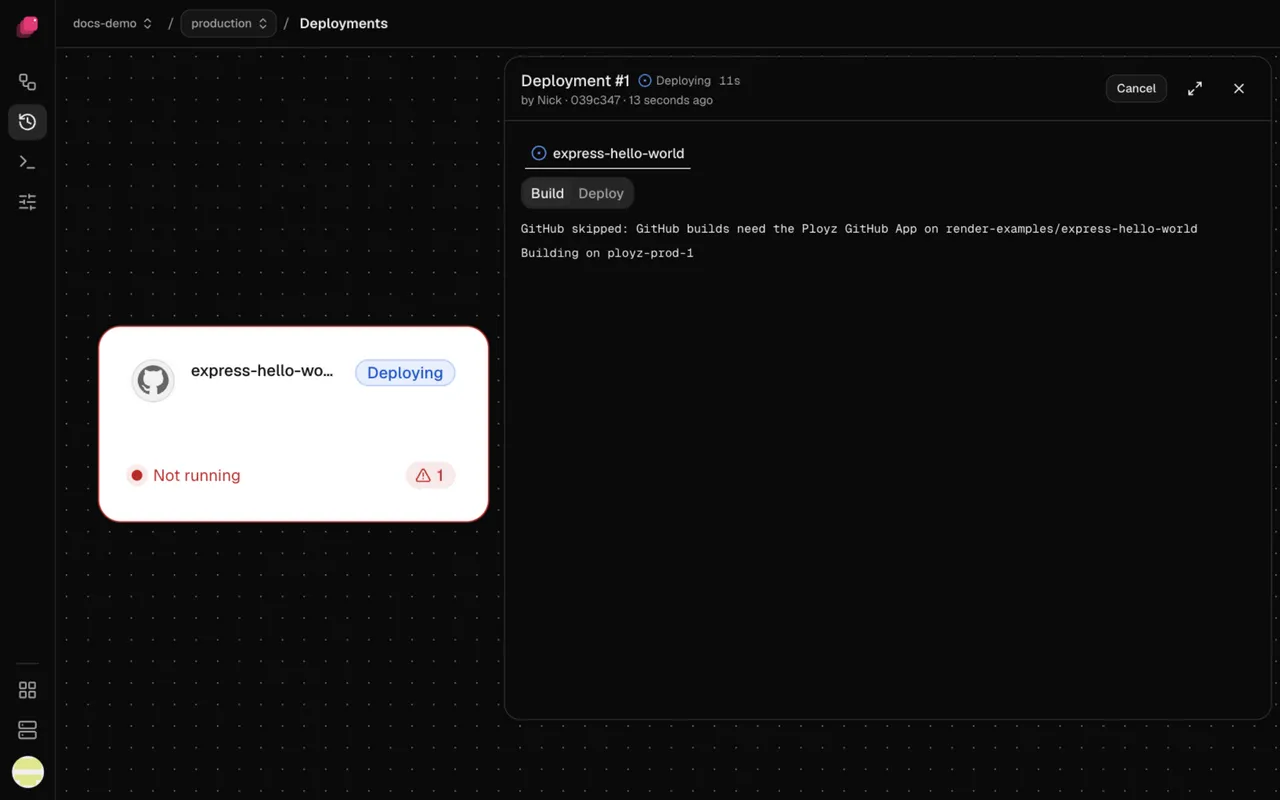
The first lines say where the build runs, like Building on web-1, or
Building on GitHub Actions: with a link to the run on GitHub. A step that fails ends with a
line that starts ERROR. A failed build stays on Build, with the error at the top of the
page.
When a build waits
Section titled “When a build waits”A build can wait before it starts:
- Behind another deployment in the same environment. See When another deployment is running.
- For room on a server. Each server runs as many builds at once as its Builds at once allows. Raise it, or let more servers run builds.
- For a GitHub runner. If your servers come next in the build order, the build moves to them when GitHub doesn't start it in time.
To stop waiting, click Cancel on the deployment.
When a build takes too long
Section titled “When a build takes too long”A build on your servers fails after 30 minutes. On GitHub Actions it has 2 hours, and if it runs out of time there, the next builder in your build order takes it. To give builds on a server more time, see Build resources and cache.
Good to know
Section titled “Good to know”- Changing a variable rebuilds the GitHub services that use it on their next deploy, because builds can read variables. Changing replicas, domains, or CPU and memory limits doesn't.
- Git submodules, Git LFS and very large repositories don't build. Keep large files out of the repository; see Troubleshooting builds.
- A build gets your service's variables, secrets included. See Use variables at build time.
Next: change how your app builds, with commands or your own Dockerfile.