
Databases
Ployz adds PostgreSQL, MySQL, Redis or MongoDB to your environment in one step, with a volume for its data, a generated password and the variables your app needs to connect. After that, it's an ordinary service you can change like any other.
Add a database
Section titled “Add a database”- On your project's canvas, click Create.
- Choose Database, then PostgreSQL, MySQL, Redis or MongoDB.
- Its data goes on a 5 GB volume. For more room, click the volume, change Storage limit (GB) and click Save storage now: you can't after you deploy it.
- Click Deploy.
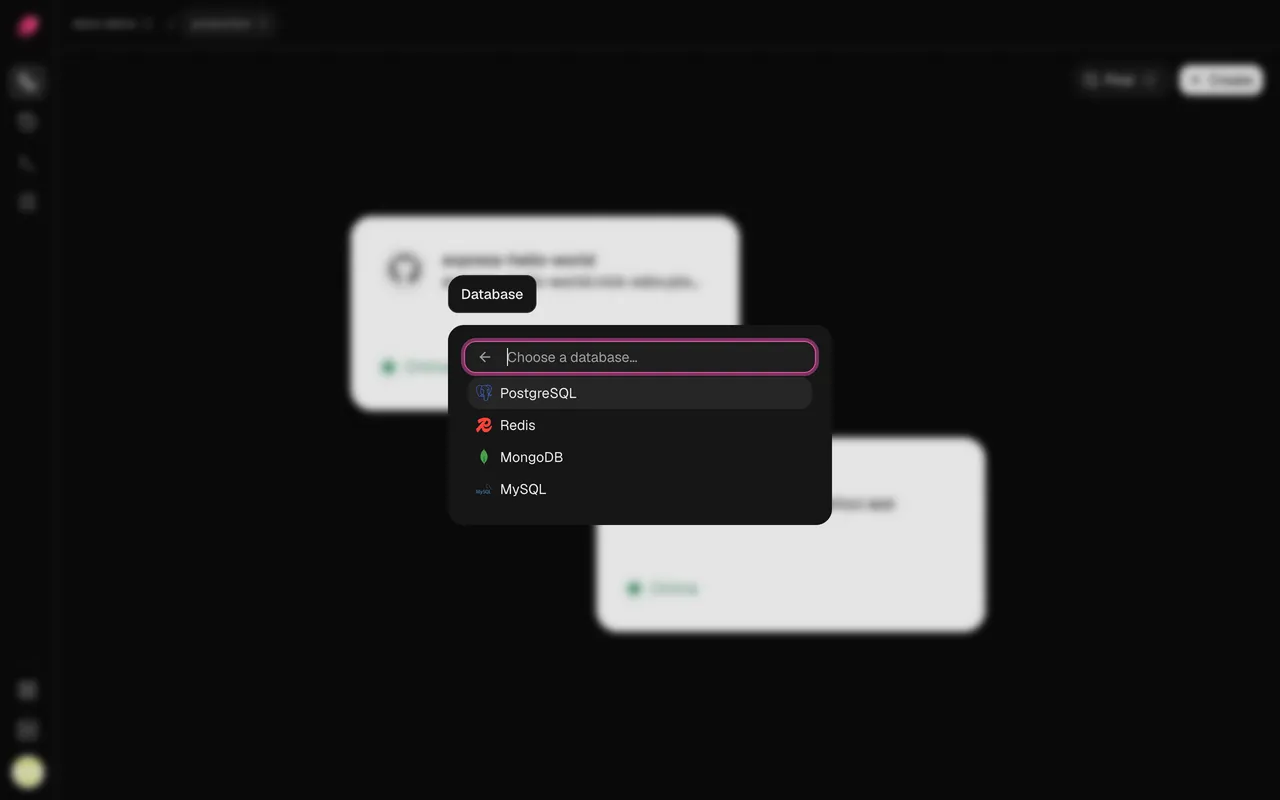
You get a service named after the database. Its connection variables are exported for your
other services to reference, and its password is sealed. They use Railway's names, like
PGHOST and PGPASSWORD, so an app moving from Railway can keep reading them.
| Version | Service | URL variable | Port | User | |
|---|---|---|---|---|---|
| PostgreSQL | 18 | postgres | DATABASE_URL | 5432 | postgres |
| MySQL | 9.4 | mysql | MYSQL_URL | 3306 | root |
| Redis | 8.2 | redis | REDIS_URL | 6379 | default |
| MongoDB | 8.0 | mongodb | MONGO_URL | 27017 | mongo |
PostgreSQL and MySQL start with a database named ployz.
Connect your app
Section titled “Connect your app”- Open your app's service, go to Variables and click New Variable.
- Enter
DATABASE_URLas the Key, and untick Sealed: a sealed value can't hold a reference. The password inside stays hidden anyway. - Enter
${{ postgres.DATABASE_URL }}as the Value and click Add. - Click Deploy.
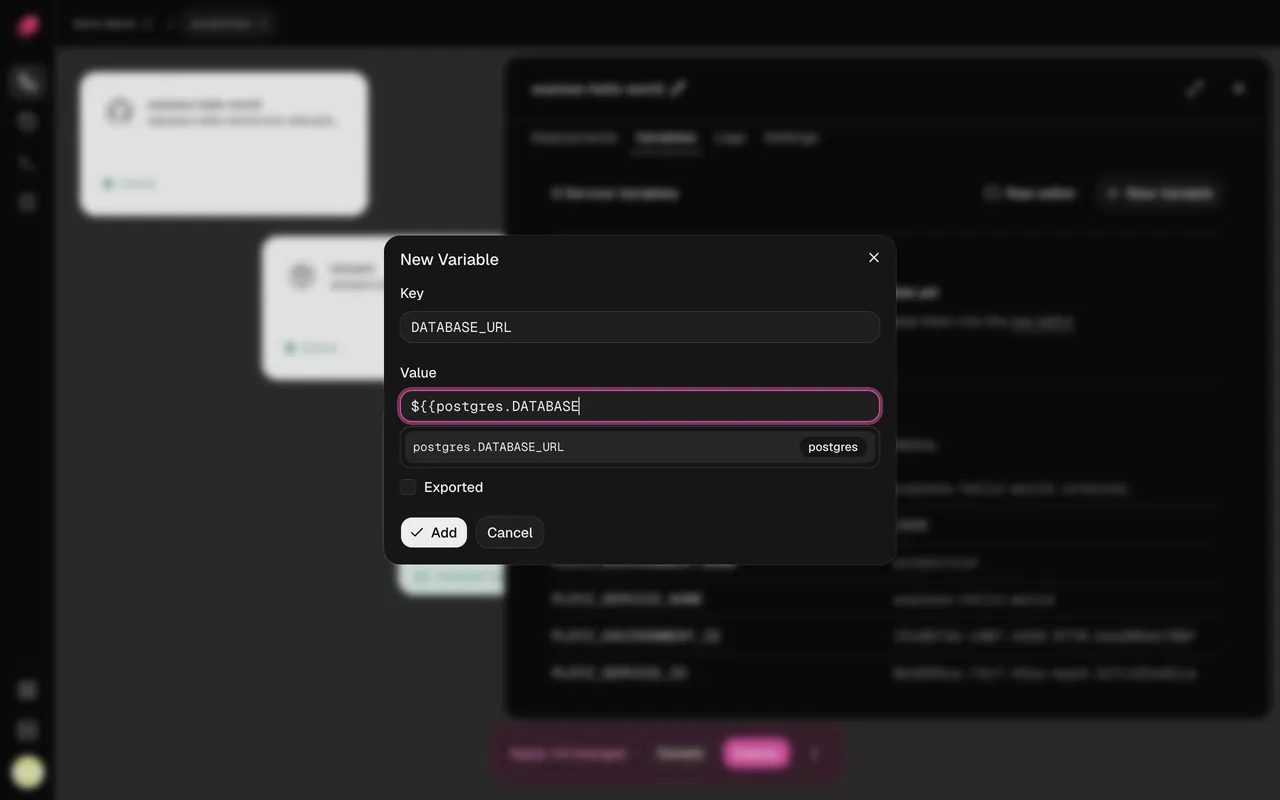
The URL points at the database's private address, like
postgres.internal, so the connection stays on your servers' private network. Ployz starts
the database before your app on every deploy. See Variables for more on
references.
Connect from your laptop
Section titled “Connect from your laptop”Databases have no public address. To reach one from your computer, forward a port to it. This is CLI-only for now (install the CLI first):
# Forward 127.0.0.1:5432 to the database, until you press Ctrl-C
ployz service port-forward postgres 5432:5432

# In another terminal: read the sealed password, then connect
ployz exec postgres -- printenv POSTGRES_PASSWORD
psql -h 127.0.0.1 -U postgres ployz
If 5432 is taken on your laptop, pick another local port, like 15432:5432.
Back up a database
Section titled “Back up a database”Dump each database on a schedule, from a computer you trust or a CI job, and store the dumps
away from your servers, such as in object storage. A dump kept on the same server is lost with
it. Dumps are CLI-only for now. Keep -T: it sends the dump to the file unchanged.
# PostgreSQL
ployz exec -T postgres -- pg_dump --format=custom > postgres.dump

# MySQL
ployz exec -T mysql -- sh -c 'mysqldump -u root -p"$MYSQL_ROOT_PASSWORD" --single-transaction "$MYSQL_DATABASE"' > mysql.sql

# Redis
ployz exec -T redis -- sh -c 'redis-cli -a "$REDIS_PASSWORD" --no-auth-warning --rdb -' > redis.rdb

# MongoDB
ployz exec -T mongodb -- sh -c 'mongodump --archive -u "$MONGO_INITDB_ROOT_USERNAME" -p "$MONGO_INITDB_ROOT_PASSWORD" --authenticationDatabase admin' > mongo.archive
Restore a PostgreSQL dump the same way, and try it before you need it:
ployz exec -T postgres -- pg_restore --clean --if-exists -d ployz < postgres.dumpUse a managed database instead
Section titled “Use a managed database instead”To keep your database at a provider such as Amazon RDS, Neon or PlanetScale, skip the preset.
Add the provider's connection URL to your app as a sealed variable named DATABASE_URL, then
click Deploy. If the provider only accepts known IP addresses, allow your servers' public
IPs.
Good to know
Section titled “Good to know”- The password is set once. PostgreSQL, MySQL and MongoDB read their password only when
they first set up their volume. If you change the password variable later, change it in the
database too, or your app can't connect. Redis reads
REDIS_PASSWORDeach time it starts. - Redis can lose its last minute of writes if it crashes.
- Deleting a database deletes its data. Deleting its service in the dashboard also deletes its volume, unless another service mounts it. The deploy asks you to confirm first.