
Add a server
Your apps run on your own servers. To add one, you paste a single command into it, and it joins your other servers on a private network.
What you need
Section titled “What you need”- A Linux server with systemd, amd64 or arm64, from any provider: a Hetzner Cloud server, a DigitalOcean Droplet, a bare-metal box.
- Ubuntu LTS on a VM or bare metal for managed volumes. Anything else works without them.
- Root, or a user that can run
sudo. - Outbound internet access, and a public IP address on at least one server so visitors can reach your apps.
You don't need Docker: Ployz installs it if it's missing.
Add a server
Section titled “Add a server”- Go to Servers and click Add server. While you have no server, the bottom bar of your environment offers Add a server too.
- Not on Ubuntu LTS, or can't run ZFS? Click Start without it in the dialog first; see Start without ZFS.
- Click Copy next to the command under Run this as root.
- Open a shell on the server, as root or as a user with
sudo, and paste the command. The server takes its hostname as its name; to choose another, add--name web-1to the end.
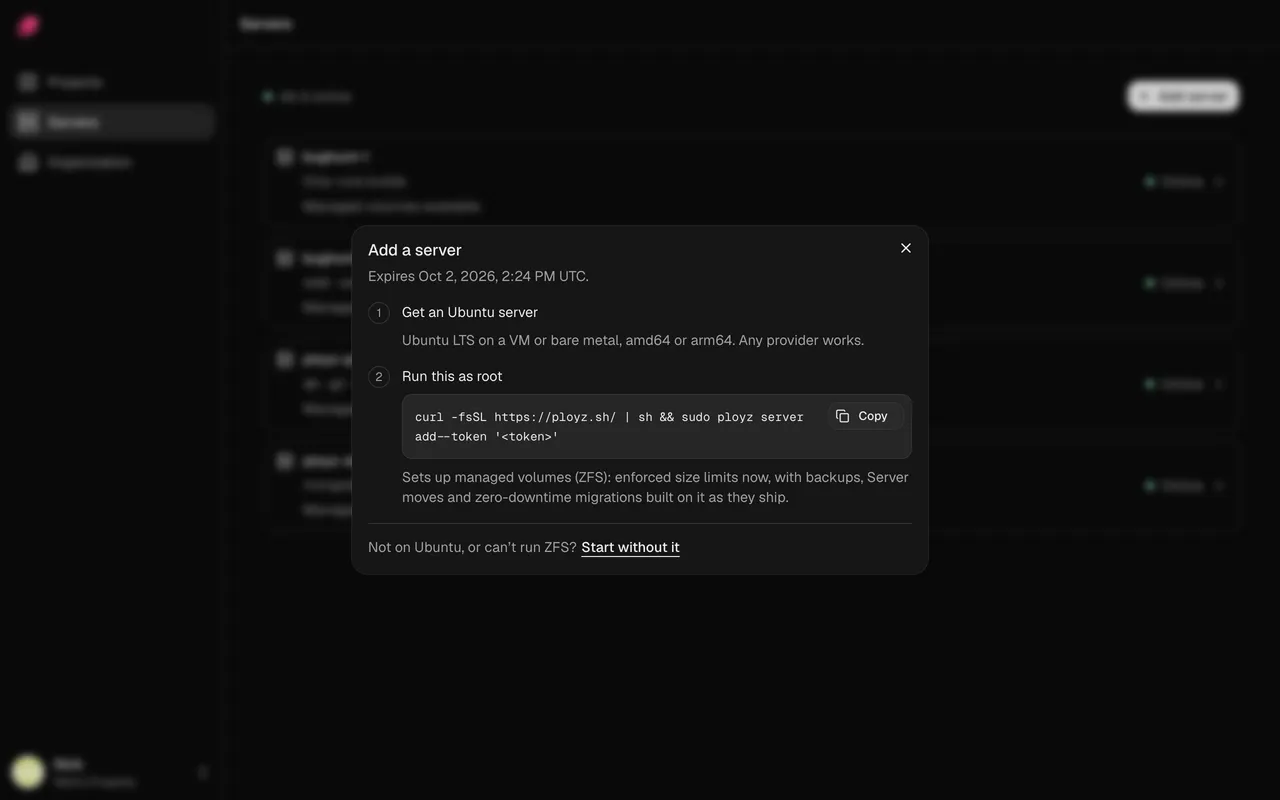
The command looks like this:
curl -fsSL https://ployz.sh/ | sh && sudo ployz server add --token '...'When it finishes, the server shows on the Servers page, ready for builds, services and web traffic. The command works for 24 hours; open the dialog again for a new one. If the server doesn't show up, see Troubleshooting servers.
Add more servers the same way, even at different providers. Nothing moves onto a new server until you deploy; see Scaling.
Start without ZFS
Section titled “Start without ZFS”The command sets up managed volumes with ZFS, so every volume gets a storage limit. ZFS needs:
- Ubuntu LTS with its stock kernel.
- A VM or bare metal, not an OpenVZ or unprivileged LXC container.
- Free space on the main disk for your volumes.
If your server can't run ZFS, click Start without it under "Not on Ubuntu, or can't run
ZFS?" in the dialog. The command then ends in --storage none, and Use ZFS instead switches
back.
The server then shows Docker only. If none of your servers has managed volumes, every new volume, a database's included, fails to deploy until you open it and tick Use a plain Docker volume (not recommended) under Advanced; see When your servers show Docker only.
Open the firewall
Section titled “Open the firewall”Ployz opens the ports it needs on the server itself. If your provider runs a firewall in front of it, like a Hetzner Cloud Firewall, a DigitalOcean Cloud Firewall or an AWS security group, allow these there:
| Port | From | Needed for |
|---|---|---|
| TCP 80, TCP and UDP 443 | Anywhere | Your apps over https, and their certificates, on servers that take web traffic |
| UDP 51820 | Your other servers | Services on different servers reaching each other |
Good to know
Section titled “Good to know”- Operating system updates stay with you. Ployz doesn't install them.
- Already running Docker? Ployz keeps it and its settings. Docker's default never rotates container logs, so they can fill the disk; see The server's disk is filling up.
Next: manage your servers.