
Where builds run
Ployz builds your app on your own servers, or on GitHub Actions in your app's repository. Your organization's build order says which one a build tries first. If it can't take the build, the next one does.
Out of the box, builds run on your servers. Add one workflow file to a repository and its builds move to GitHub Actions, which takes the load off your servers.
Build on your servers
Section titled “Build on your servers”Every server runs builds unless you turn it off.
- Go to Servers and open a server.
- Under Builds, turn Run builds here on or off.
- Set Builds at once to how many builds it may run together.
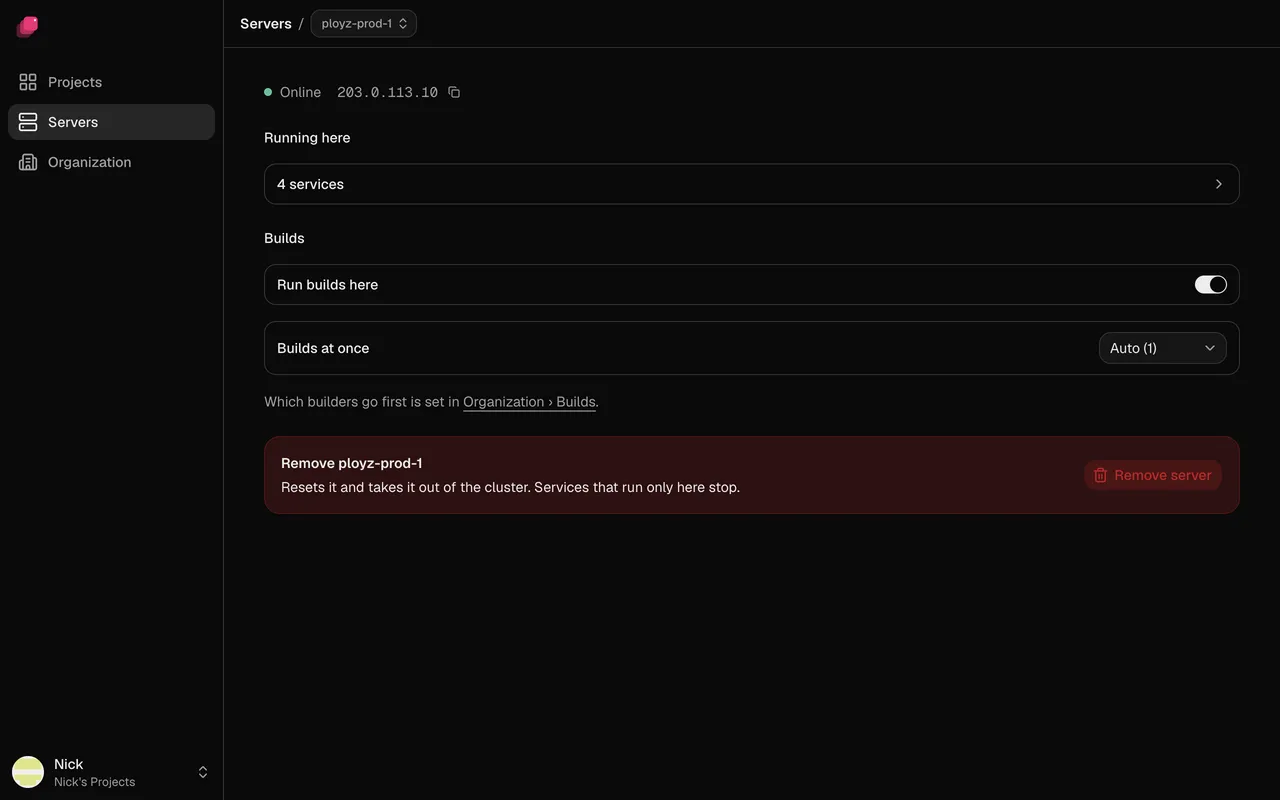
Ployz prefers the server that built the service last, because its cache makes builds faster. A build that has started on a server stays there: if it fails, the deploy fails. If your servers mix x86 and ARM, see When your servers mix x86 and ARM.
Build on GitHub Actions
Section titled “Build on GitHub Actions”Builds run on GitHub's runners, in the service's repository, and count towards that repository's Actions minutes. Each repository needs one workflow file; you don't add any secrets. The GitHub Actions section appears once a service builds from a repository through the Ployz GitHub App.
- Go to Organization → Builds.
- Under GitHub Actions, click Add workflow ↗ next to the repository. GitHub opens the file, already filled in.
- Commit it to the repository's default branch, even if your service deploys another Git branch.
The repository shows Waiting for commit, then a check mark. If it shows Installation lacks permission, approve Actions: Read and write for the Ployz GitHub App in GitHub.
The workflow file
name: Ployz build
on:
  workflow_dispatch:
    inputs:
      build: { required: true, type: string }
      cloud: { required: true, type: string }
      runner: { required: false, type: string, default: ubuntu-latest }
permissions:
  contents: read
  id-token: write
jobs:
  build:
    runs-on: ${{ inputs.runner }}
    steps:
      - uses: getployz/build@v1
        with:
          build: ${{ inputs.build }}
          cloud: ${{ inputs.cloud }}
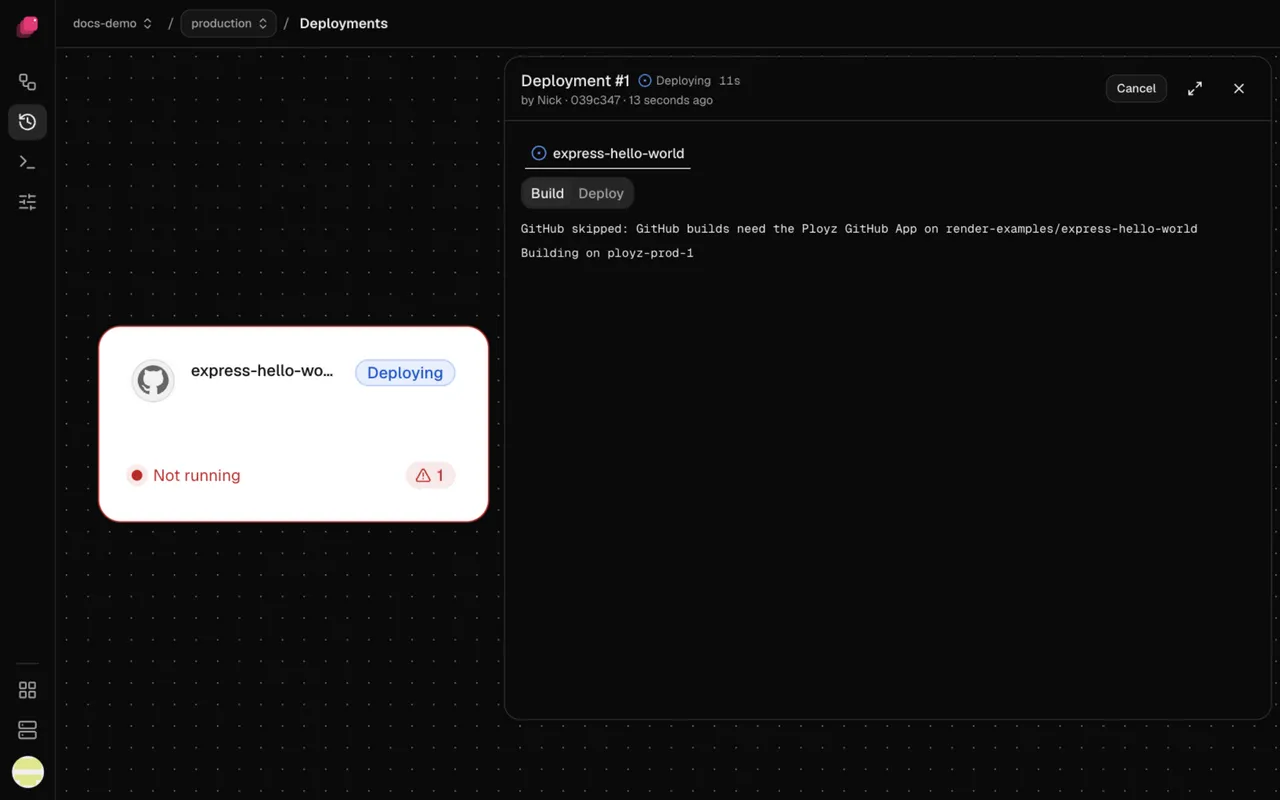
When GitHub can't take a build, the build log says why, and the next builder takes it:
- The workflow is missing, disabled or not on the default branch, or the repository shows Installation lacks permission. Fix it in GitHub, as above.
- The service deploys a public repository without the GitHub App, or runs on both x86 and ARM servers. These build on your servers. With GitHub only, they fail, so keep your servers in the order for them.
- You deployed with
ployz up. Uploads always build on your servers.
Choose the build order
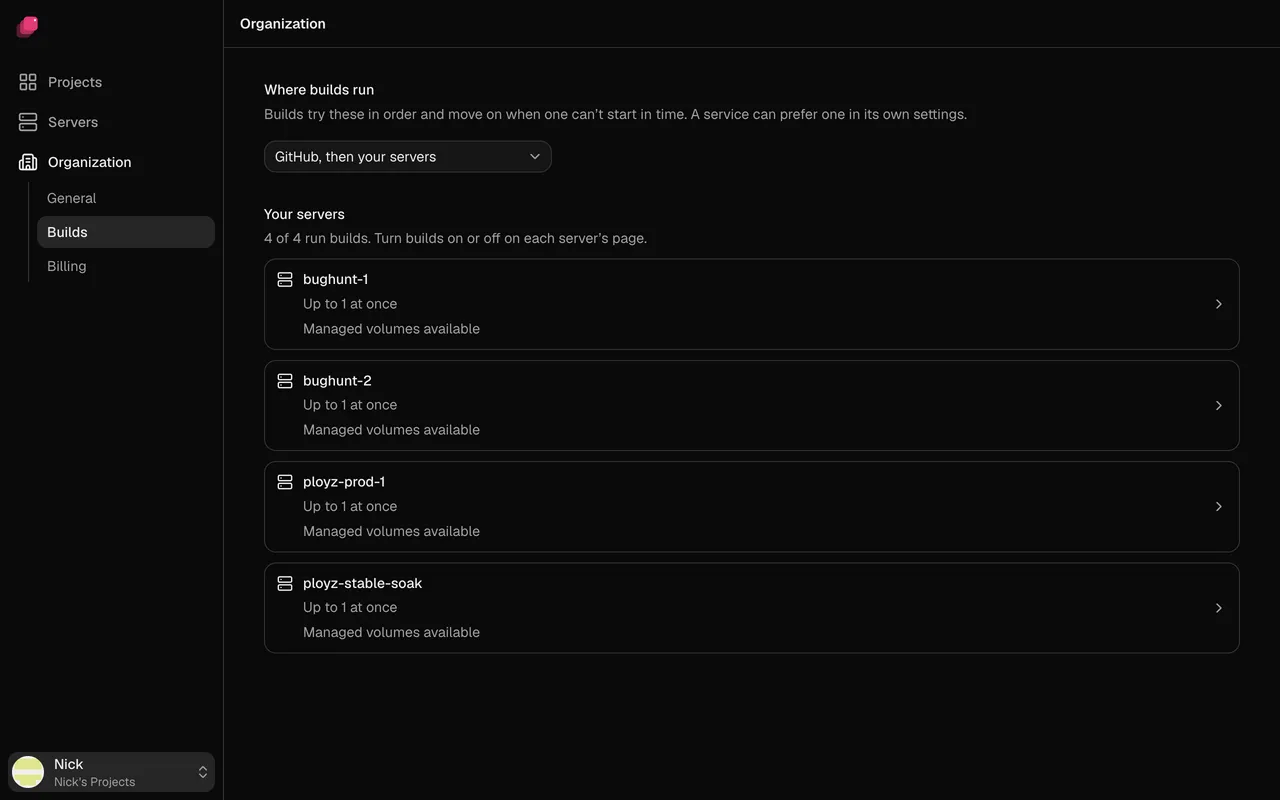
Section titled “Choose the build order”- Go to Organization → Builds.
- Pick an order under Where builds run.
| Order | What happens |
|---|---|
| GitHub, then your servers | The default. GitHub first when the repository has the workflow, otherwise your servers. |
| Your servers, then GitHub | Your servers first. GitHub only when none of your servers runs builds. |
| Your servers only | Never GitHub, unless a service prefers GitHub Actions. |
| GitHub only | Only GitHub, and a build waits for a GitHub runner however long that takes. Uploads from ployz up still build on your servers. |
Prefer a builder for one service
Section titled “Prefer a builder for one service”- Open the service and go to Settings → Build.
- Set Preferred Builder to GitHub Actions or one of your servers.
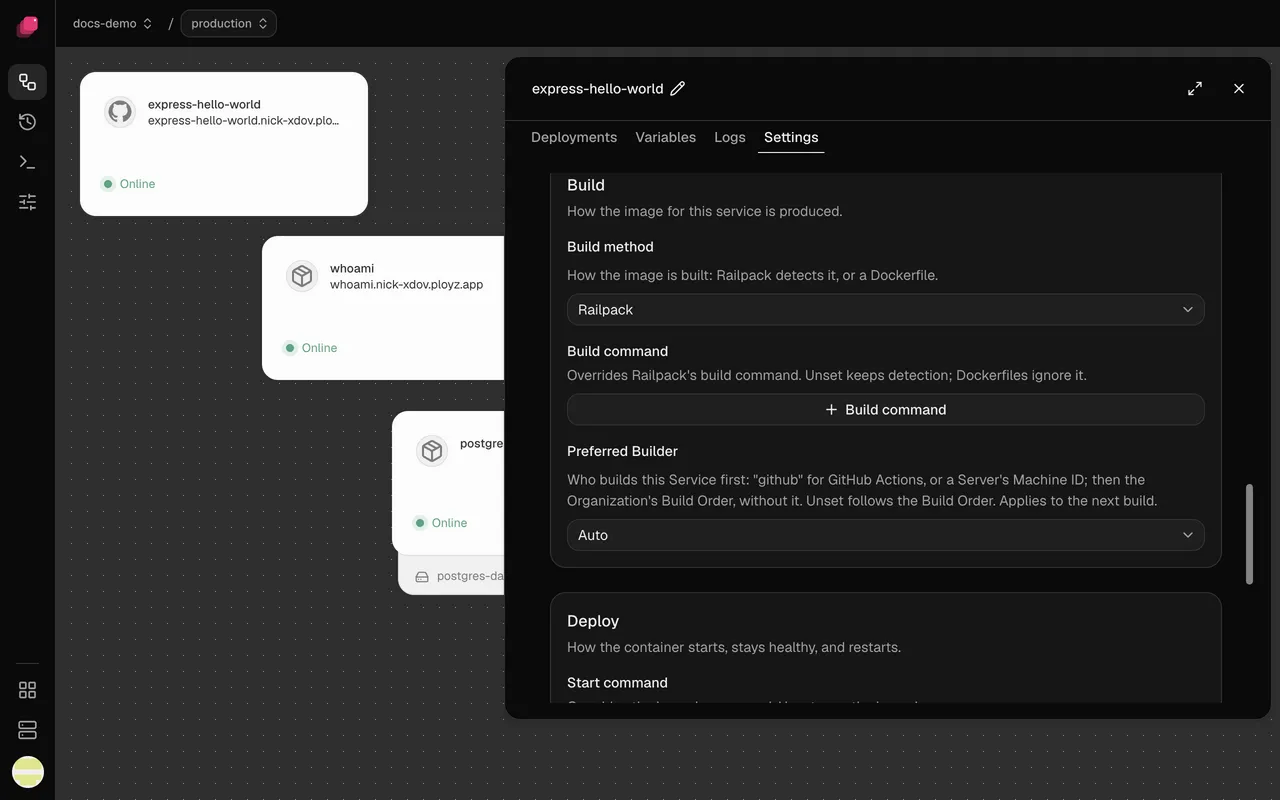
The service tries that builder first, then follows the build order. A preferred server keeps the build on your servers, even with GitHub only. Auto follows the build order alone. Preferred Builder applies at once, from the next build.
When a build fails
Section titled “When a build fails”A build moves to the next builder only when a builder can't take it. If a build step fails, on GitHub or on your servers, the build fails: moving it wouldn't fix your code. Either way, the deploy stops before anything changes.
When no builder can take a build, it fails with one of these:
No eligible Build Machine was selected; no build was started.Your servers were last in the order and none could take it. Turn on Run builds here on an online server, or pick an order that ends with GitHub.…No other Builder in your Build Order can take it. GitHub was last and couldn't take it. The build log says why GitHub was skipped. Fix that, or pick an order that ends with your servers.
See Troubleshooting builds for failed build steps.