
Variables
Variables are the environment variables your service starts with: settings, API keys, your database's URL. Each service has its own, and a variable can point at another service's, so your app always gets the database of the environment it runs in.
Add a variable
Section titled “Add a variable”- Open your service and go to the Variables tab.
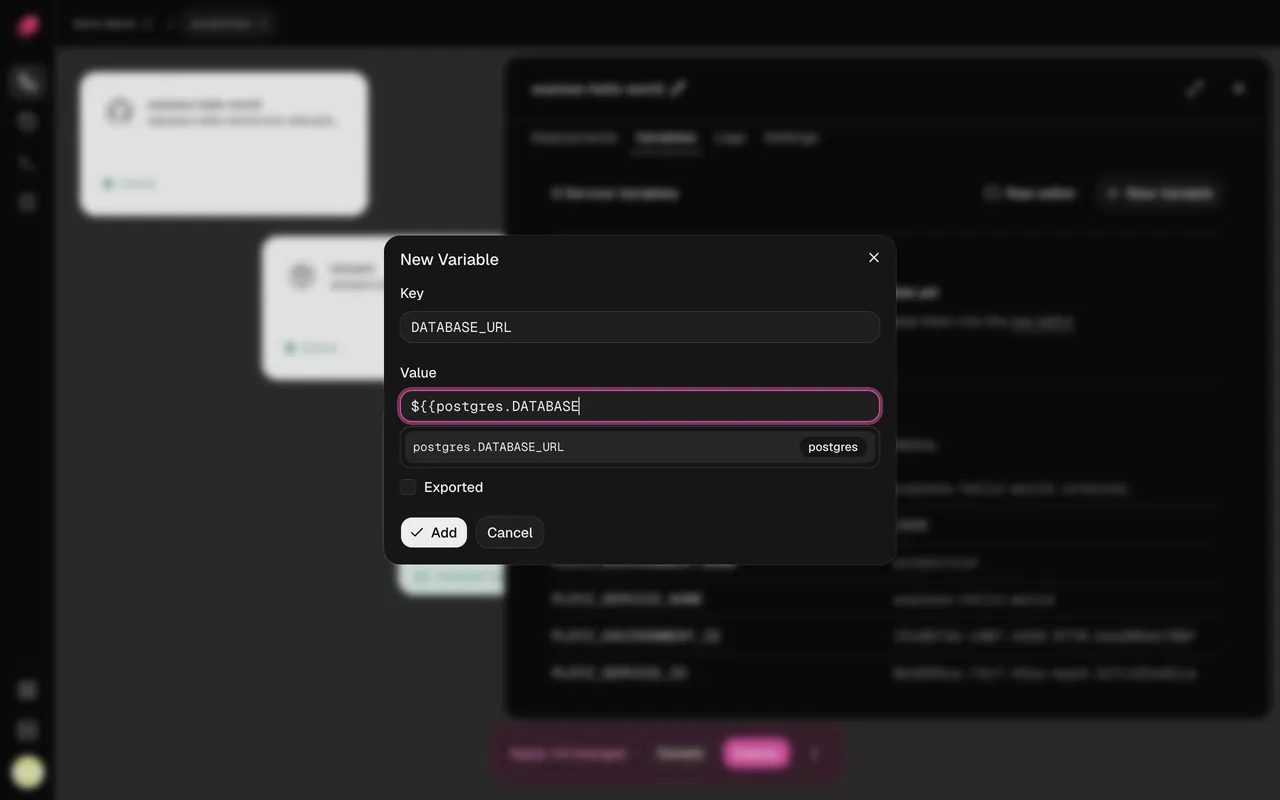
- Click New Variable, and enter a Key and a Value.
- Leave Sealed ticked for a secret: you can't read it back or unseal it. Untick it for a value you want to see, or one that holds a reference. Click Add.
- Click Deploy.
To change or remove a variable, open the menu at the end of its row.
Your running service keeps its old values until you deploy. Changing a variable rebuilds a service built from GitHub on that deploy.
Paste many at once
Section titled “Paste many at once”Click Raw editor to see the service's variables as a .env file (ENV) or as JSON.
Paste or edit them, then click Update variables.
- Deleting a line deletes that variable.
- Sealed variables aren't shown and stay as they are.
- Values you save here are plain text. Seal secrets afterwards from their menu.
Seal a secret
Section titled “Seal a secret”A sealed variable is encrypted when you save it, and the dashboard never shows its value again. Your service still gets the real value when it deploys.
- New variables are sealed unless you untick Sealed.
- To seal a plain variable, choose Seal from its menu. You can't unseal it.
- To change a sealed value, delete the variable and add it again.
- A sealed value is stored exactly as typed, so it can't hold a reference.
Reference another service's variable
Section titled “Reference another service's variable”A reference fills a variable with another variable's value. Write ${{ SERVICE.KEY }} for
another service's variable and ${{ KEY }} for one of this service's own:
DATABASE_URL=${{ postgres.DATABASE_URL }}
WEB_URL=http://${{ web.PLOYZ_PRIVATE_DOMAIN }}:8080
Untick Sealed, then type ${{ in the value. The dashboard suggests this service's
variables, the variables Ployz provides, and other services'
exported variables. Tick Exported on a variable to add it to the suggestions; you can type a
reference to any variable either way.
- A reference reads the service of that name in the same environment. In staging,
${{ postgres.DATABASE_URL }}is staging's database. - A reference to a sealed variable keeps the secret hidden. Your service gets the real value.
- A service that references another starts after it on every deploy.
- Ployz refuses a reference to a service or variable that doesn't exist, and won't delete one that something references. Remove the reference first.
- Write
$${{for a literal${{.
Variables Ployz provides
Section titled “Variables Ployz provides”| Variable | Value |
|---|---|
PORT | 8080, unless you set it. Your domains and health check reach your app on this port. |
PLOYZ_PRIVATE_DOMAIN | The service's private address, like web.internal |
PLOYZ_SERVICE_NAME | The service's private name, like web |
PLOYZ_ENVIRONMENT_NAME | The environment's name, like production |
PLOYZ_SERVICE_ID, PLOYZ_ENVIRONMENT_ID | The service's and the environment's IDs |
Only PORT reaches your app on its own. To read another one, reference it in a variable of
your own, like SELF_HOST=${{ PLOYZ_PRIVATE_DOMAIN }}. The Variables tab lists them, with
their values, under your own variables.
Good to know
Section titled “Good to know”- Builds see your variables, sealed ones included. A Dockerfile can keep what it reads in
the image, so don't pass long-lived secrets to it as
ARGs. See Use variables at build time. - Branches copy variables. A separate copy of a service in a branch starts with its parent's variables, sealed values included, and changing them leaves the parent alone. A reference to a service the branch shares with its parent reads the parent's values.
Next: add a database.