
Domains
A service is private until it has a domain. Ployz gives each service a free https address under your organization's domain, and on Pro you can add domains you own.
Generate a domain
Section titled “Generate a domain”- Open your service and go to Settings → Networking.
- Under Public Networking, click Generate Domain.
- Leave Port blank to use
PORT, or enter the port your app listens on. Click Generate Domain. - Click Deploy.
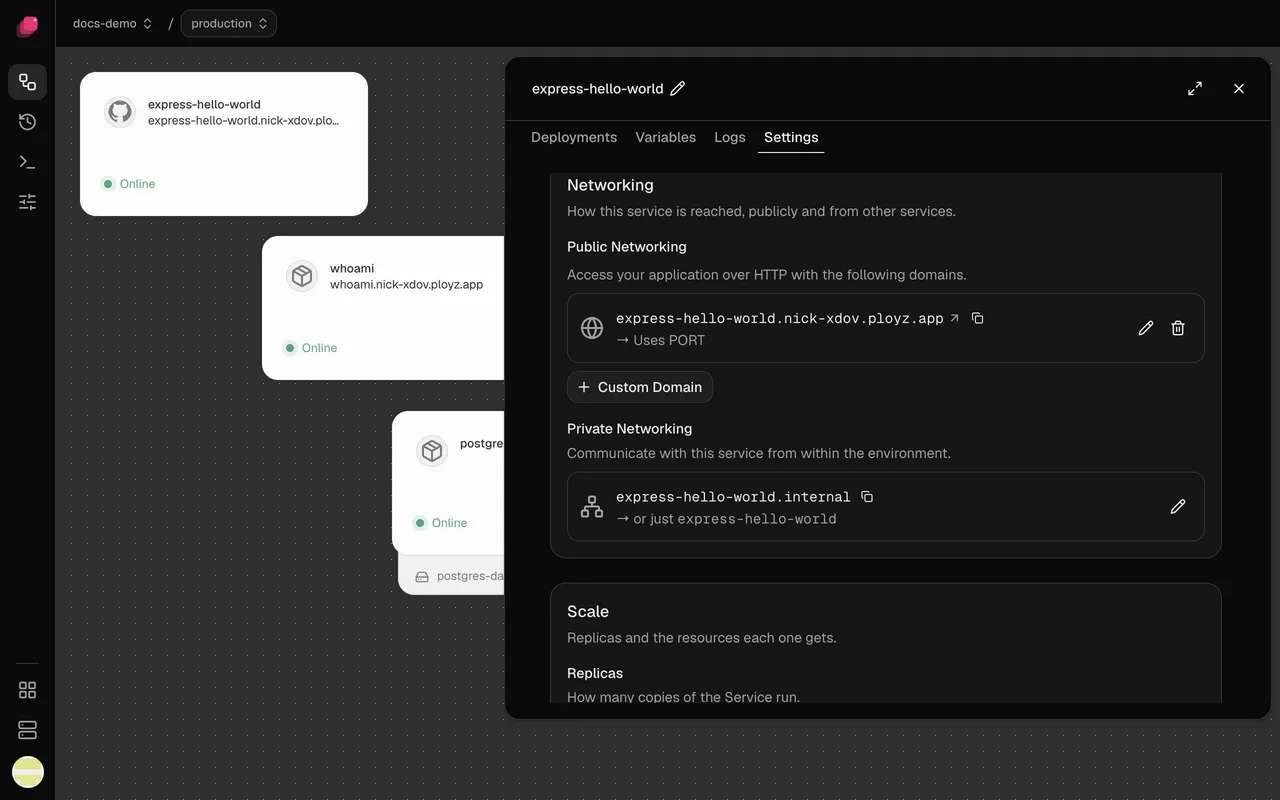
The address is the service's name under your organization's domain, like
web.acme-x7q2.ployz.app. A branch adds its own name:
web-staging.acme-x7q2.ployz.app. Your organization's domain never changes; it's under
Domain in Organization → General.
To change a service's subdomain, click the pencil on its domain, edit Subdomain, and click Save domain.
Choose the port
Section titled “Choose the port”A domain sends traffic to one port inside your service. Left blank, it uses PORT, which is
8080 unless you set it.
If your app listens on a fixed port, like 3000, do one of these and deploy:
- add a
PORTvariable set to3000, which the health check follows too, or - click the pencil on the domain, set Target port to
3000, and click Save domain.
The domain's row shows where traffic goes: → Uses PORT or → Port 3000. The dashboard
ignores EXPOSE in your Dockerfile.
Add a custom domain
Section titled “Add a custom domain”Custom domains need Ployz Pro, $9 a month for your organization. On a self-hosted Ployz Cloud they're always available.
- In Settings → Networking, click Custom Domain. Without Pro, this opens Use your own domain: click Upgrade to Pro first.
- Enter the Domain, like
app.example.com, leave Target port blank to usePORT, and click Save route. - Create the DNS records below at your DNS provider.
- Click Deploy.
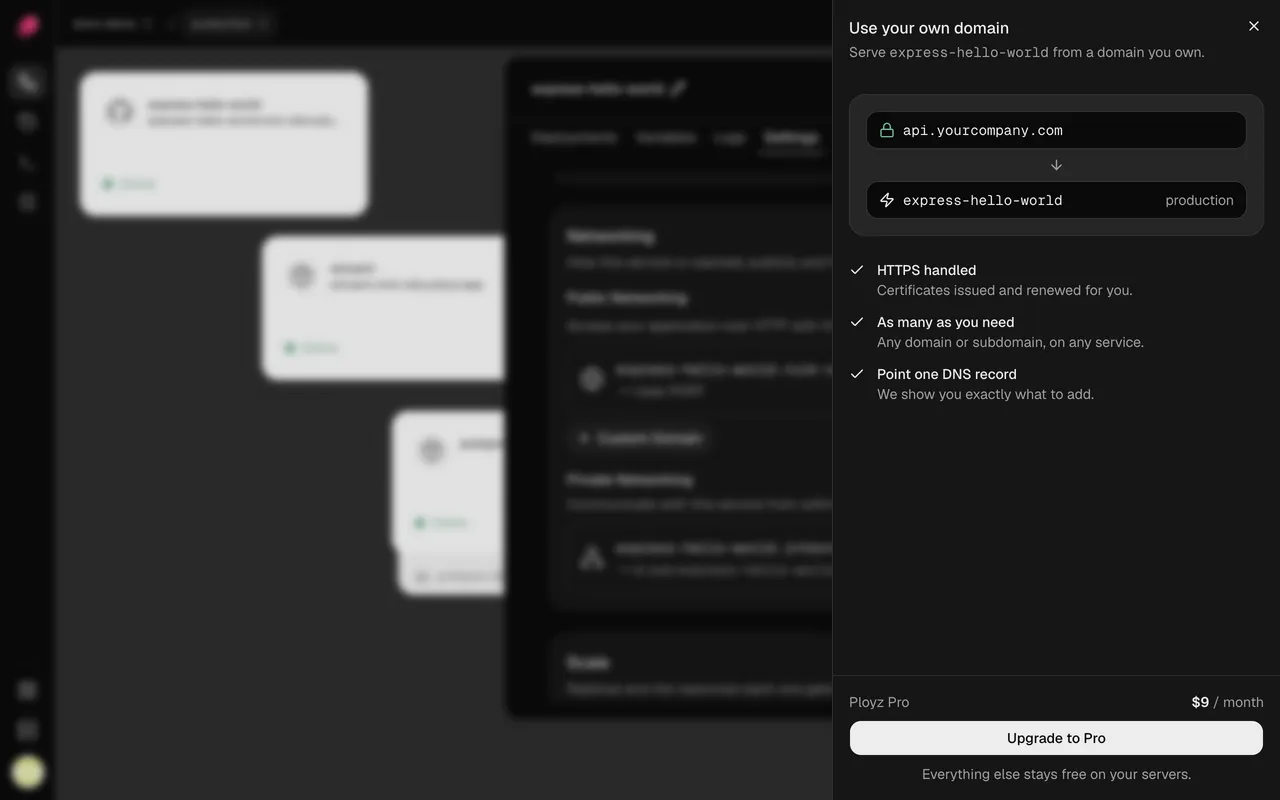
A service can have any number of custom domains next to its one generated domain, each with its own port.
Point DNS at your servers
Section titled “Point DNS at your servers”| Your domain | Type | Name | Value |
|---|---|---|---|
A subdomain, like app.example.com | CNAME | app | your organization's domain, like acme-x7q2.ployz.app |
The root, like example.com | A (AAAA for IPv6) | @ | the public IP of each server that takes web traffic, one record each |
Show DNS records on the domain's row lists the exact records. Delete any old A or AAAA records for the same name, like your previous host's.
A CNAME follows your servers as you add and remove them. A records don't, so update them when your servers change. If your DNS provider supports ALIAS records or CNAME flattening, point the root at your organization's domain instead.
Use https
Section titled “Use https”Every domain serves https, and Ployz gets and renews its certificates for you. A custom domain gets its certificate once it's deployed and its DNS points at your servers.
Keep ports 80 and 443 open on the servers that take web traffic: they use port 80 to get
certificates. Ployz doesn't redirect http:// to https:// yet, and plain http shows
Not Found, so share https:// links.
Check a domain's status
Section titled “Check a domain's status”Each domain's row shows its status after the port, like → Uses PORT · Issuing certificate. A live domain shows no status.
| Status | What to do |
|---|---|
| Live after your next deploy | Click Deploy. |
| Deploying, Setting up, Issuing certificate | Nothing. It goes live on its own. |
| Waiting for DNS, DNS doesn't point here yet, DNS points to another server | Fix your DNS records. |
| Port 80 is closed on … | Open port 80 on that server. |
| No Server receives traffic | Add a server. |
| via proxy | Nothing. It works behind a proxy like Cloudflare. |
For any other status, see My app isn't reachable.
Remove a domain
Section titled “Remove a domain”Click the trash icon on the domain. It shows Removed on your next deploy and keeps serving until you deploy. Undo keeps it.
Good to know
Section titled “Good to know”- No wildcards. Ployz doesn't support domains like
*.example.com. Add each hostname. - No variable holds your public address. If your app needs it, add one, like
APP_URL=https://app.example.com. - Domains like
app.example.co.uk. Show DNS records assumes your domain ends in one part, like.com. Here, useappas the name. - Behind Cloudflare? Set SSL/TLS to Full (strict). See My domain is behind Cloudflare.