
The basics
Picture boxes inside boxes: your organization holds your servers and projects, each project has environments, and each environment runs services on your servers. Everything you change is a draft until you deploy it.
flowchart TD
  org["Organization"] --> servers["Servers"] & project["Project: my-app"]
  project --> prod["Environment: production"] & preview["Environment: a pull request's preview"]
  prod --> web["Service: web"] & pg["Service: postgres, with a volume"]
How your app is organized
Section titled “How your app is organized”Organization. Ployz creates one for you when you first sign in. It holds your servers, your projects and your billing. See Organizations and billing.
Servers. Linux servers you own or rent, with Ployz on them. Together they're your own small cloud: they share a private network, and Ployz spreads your services over them. See Add a server.
Project. One app and everything it needs to run, like a web app, its worker and its database.
Environment. One complete copy of a project, with its own services, variables, volumes and
addresses. Every project starts with production. Branch it into staging to change things
without touching production, and turn on preview environments to get a copy for every pull
request. See Environments and branches.
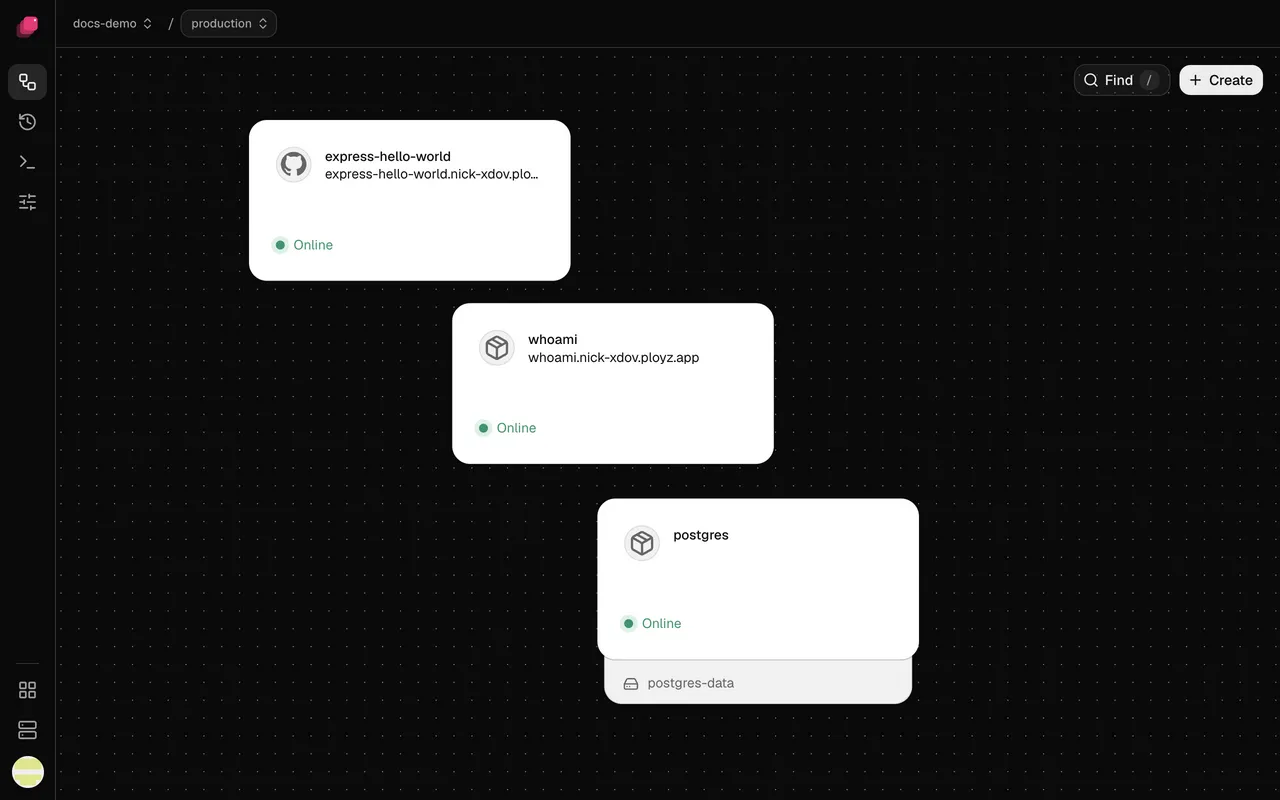
Service. One thing that runs: a web app, a worker or a database. It runs your GitHub repository, which Ployz builds, or a Docker image, as one or more replicas. Service settings lists what you can set on one.
Volume. A disk attached to one server, where a service keeps files across deploys and restarts, like a database's data. The service that uses it runs on that server. See Volumes.
An environment opens on its canvas. Each service is a card, with its volume underneath.
How a change ships
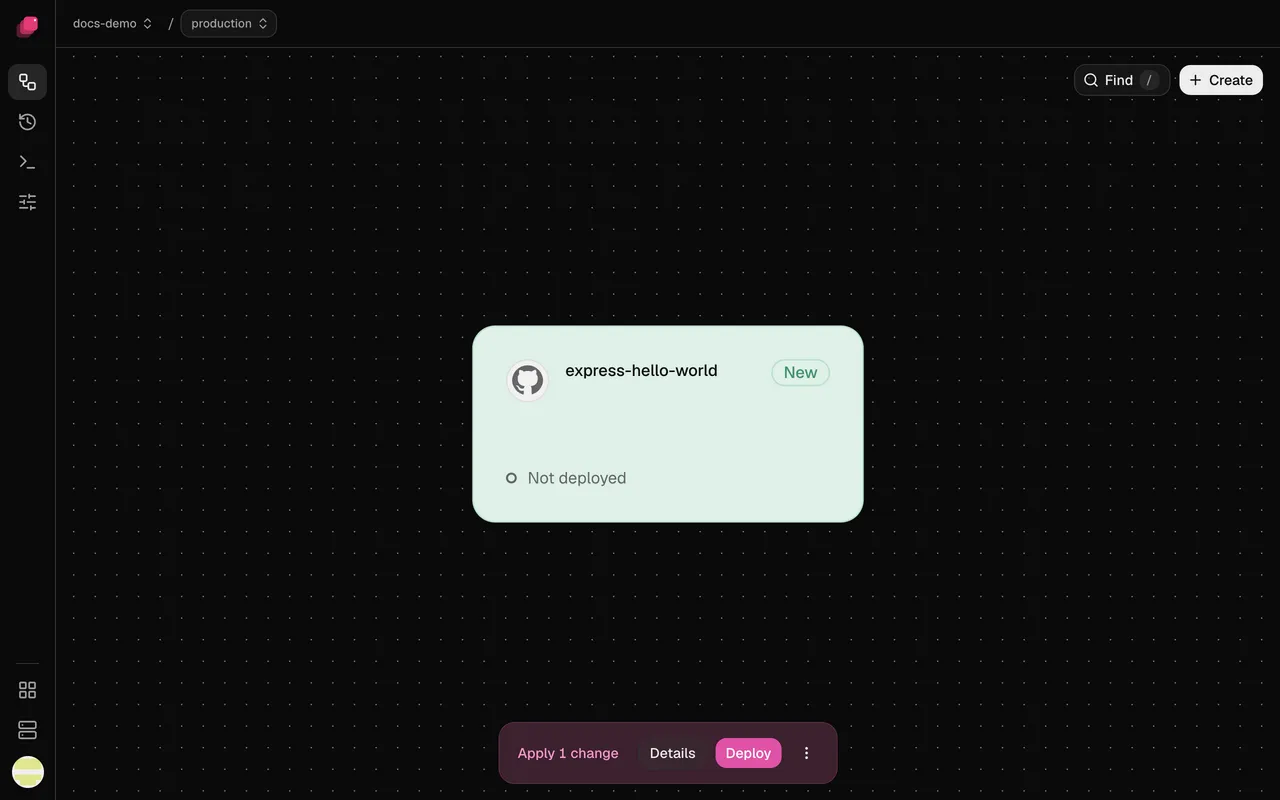
Section titled “How a change ships”Your edits in the dashboard save as you make them and turn pink, like a draft. Your servers keep running what they ran until you click Deploy; then Ployz makes them match. A few settings, like Auto-deploy, say "Takes effect at once" and skip the draft.
The bottom bar collects your staged changes and counts them, like Apply 1 change. Details lets you review or discard each one, and Deploy ships them all. Each deploy becomes a deployment, with its own page and logs. See Deployments.
A Git push deploys too: your latest commit with the settings you last deployed. To send staged changes along with the next push, click Publish in Details; changes you only staged stay behind.