
Organizations and billing
An organization holds your projects, your servers and your billing. The first time you sign in, Ployz creates one for you, named after you (like Ada's Projects).
Your organization
Section titled “Your organization”Ployz is built for one person today. You can't invite anyone to your organization yet, so there are no teams or roles. To let a CI job act for you, make an organization token.
If you have more than one organization, switch between them under Switch organization in the account menu.
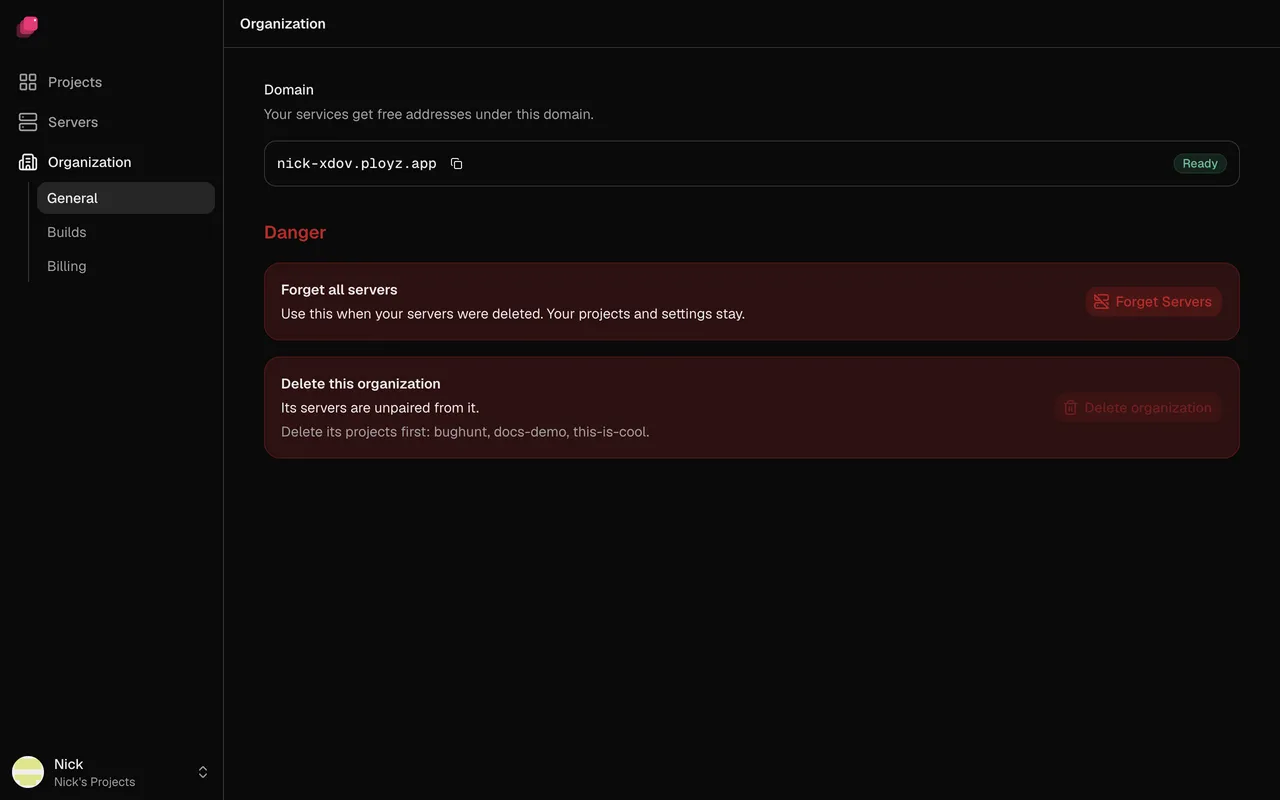
In the sidebar, click Organization for its settings:
- General: your organization's Domain, which your services' free addresses live under. It appears with your first deploy. Below it, Forget all servers is for when your servers were deleted.
- Builds: where builds run. See Where builds run.
- Billing: your plan.
Billing
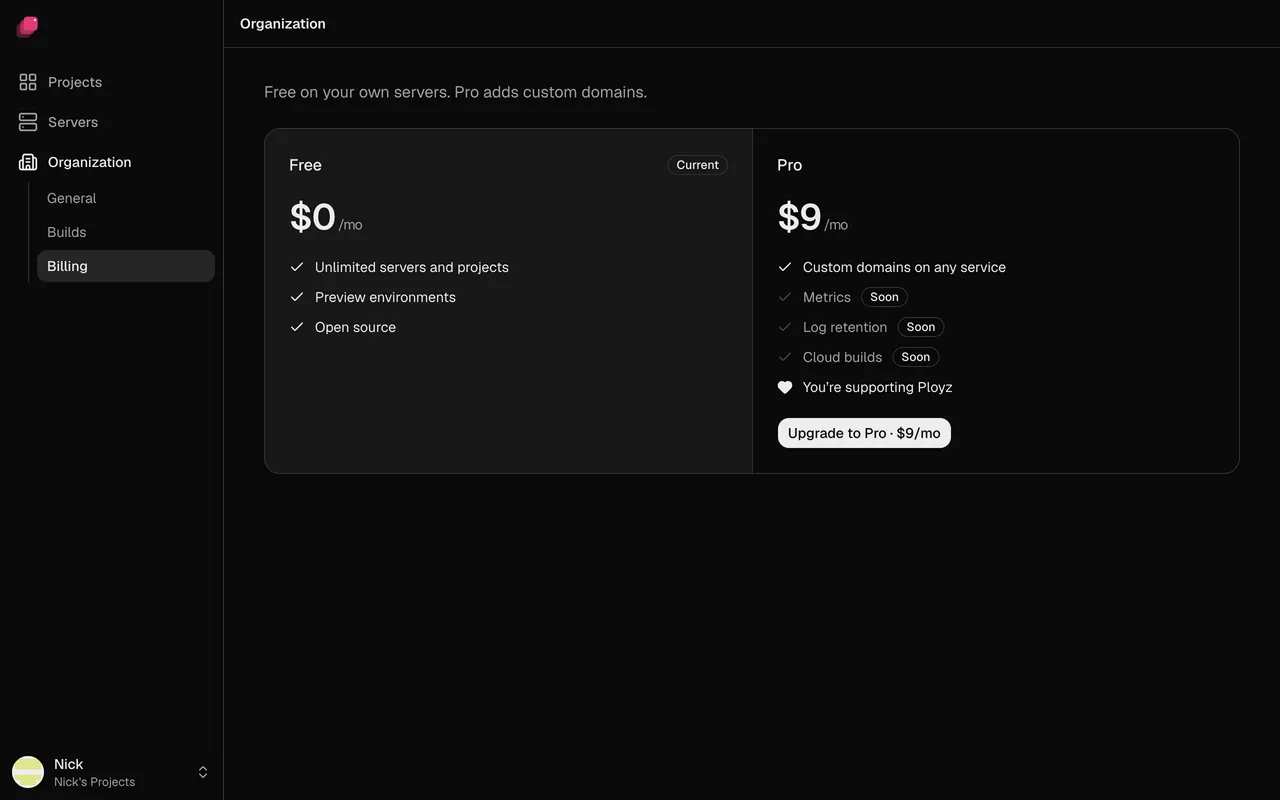
Section titled “Billing”Ployz is free on your own servers: unlimited servers and projects, preview environments and generated https addresses. Your hosting provider bills you for the servers.
Pro costs $9 a month per organization and adds custom domains. Without it, you can't add a custom domain.
- Go to Organization → Billing.
- Click Upgrade to Pro · $9/mo and pay in the checkout.
To change your card, get invoices or cancel, click Manage billing on the same page.
A self-hosted Ployz Cloud has no billing, and custom domains are always allowed.
Delete an organization
Section titled “Delete an organization”Deleting an organization removes it with its settings and tokens, and disconnects your servers from it. It can't be undone.
- Delete every project in it. Delete organization stays disabled until you do.
- Cancel Pro first. Deleting the organization doesn't cancel it: go to Organization → Billing → Manage billing.
- Go to Organization → General and click Delete organization.
- Type the organization's slug, as the dialog shows it, and click Delete.
If a server is offline, the organization stays, disabled, until that server is back. Then click Try again.
With no organization left, the dashboard offers Create an organization.